

MCP Connections
# What is MCP?
In short: APIs require you to tell the code exactly what to call. MCP lets the AI figure out what tools it needs based on the conversation.
When you ask a question, HARPA looks at the self-describing tools from all connected MCP servers. Each MCP server advertises what it can do (tool names, descriptions, parameters).
Example: You ask "What's the weather in London?" → HARPA sees a weather MCP has a get_weather tool (assuming you've added one!) → routes the request there → gets the response and the AI answers with the context from the MCP.
It's dynamic routing based on capabilities, not hardcoded "if weather, then call weather API" logic.
# Getting Started
-
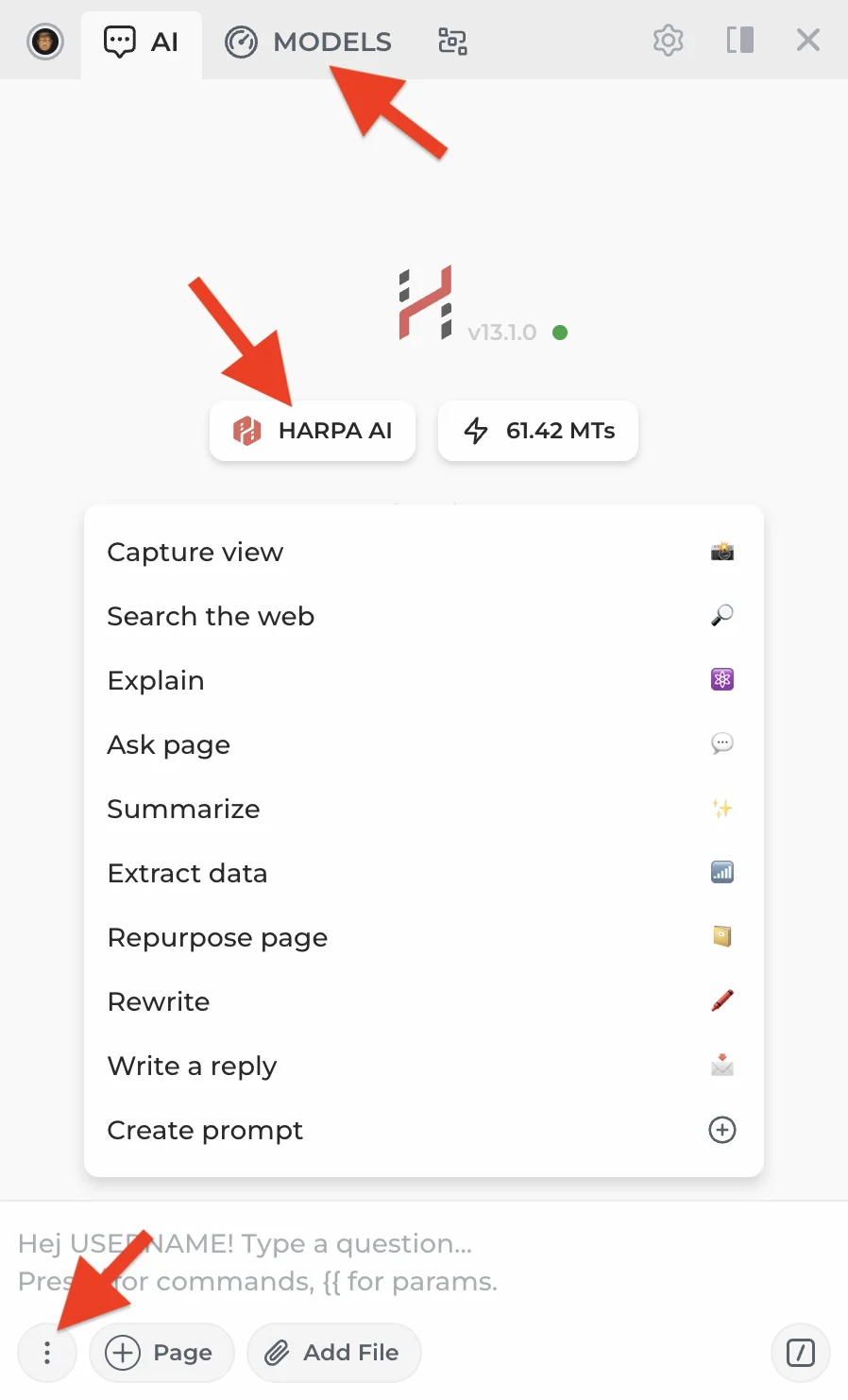
Open HARPA on any website by clicking its icon or pressing Alt+A (Windows) or ^+A (Mac).
-
Open the AI model menu by clicking the MODELS tab at the top or the three-dot menu in the bottom left corner.
- Scroll down to the MCP CONNECTIONS section. Click + to add a new connection or edit an existing one.
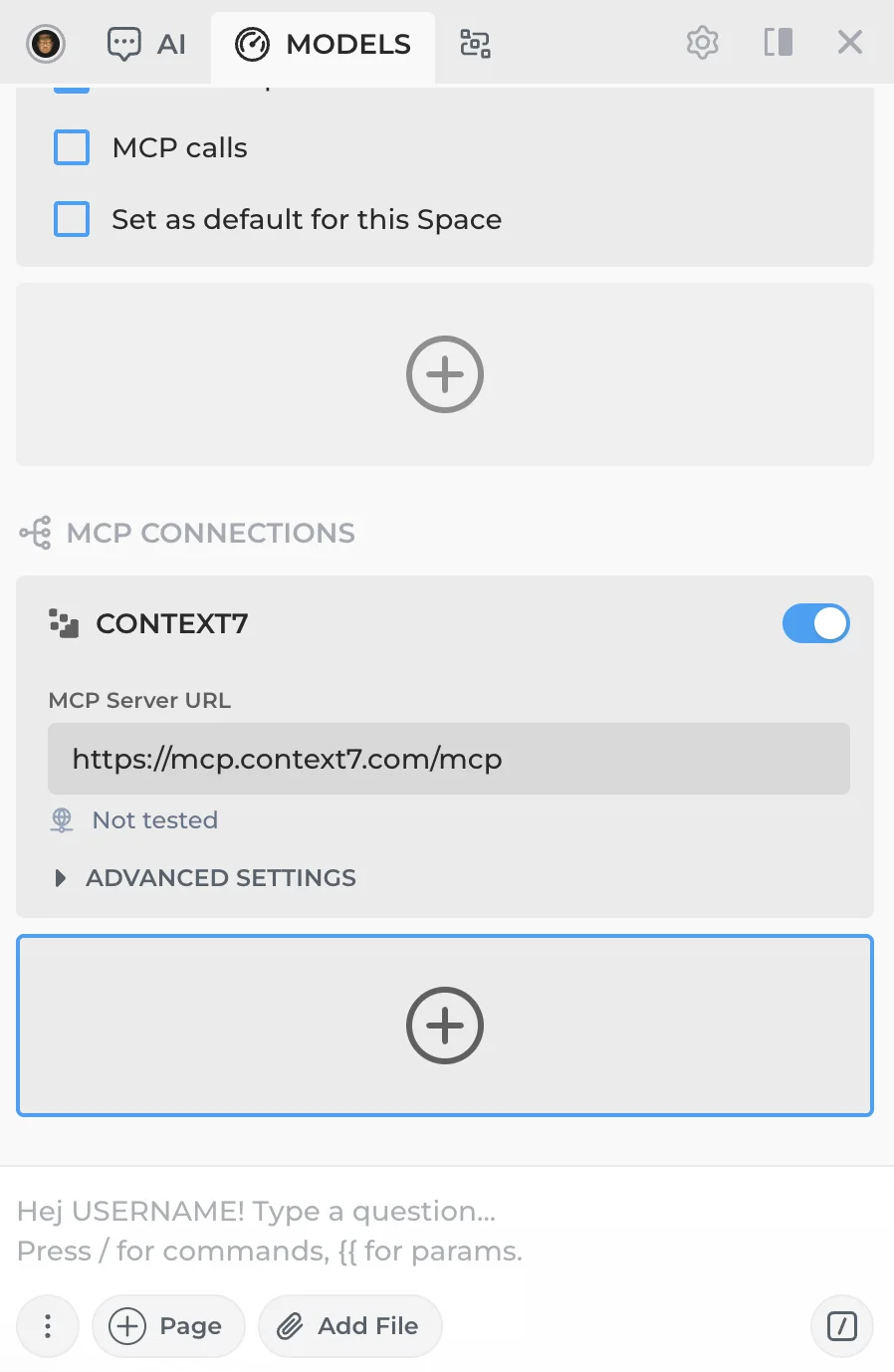
You'll see a sample Context7 MCP connection included for reference. If you'd like to use it, create your own API key at Context7.
- Enter the MCP server URL. HARPA will automatically test the connection and display the number of available tools. If no tools appear, double-check the URL.
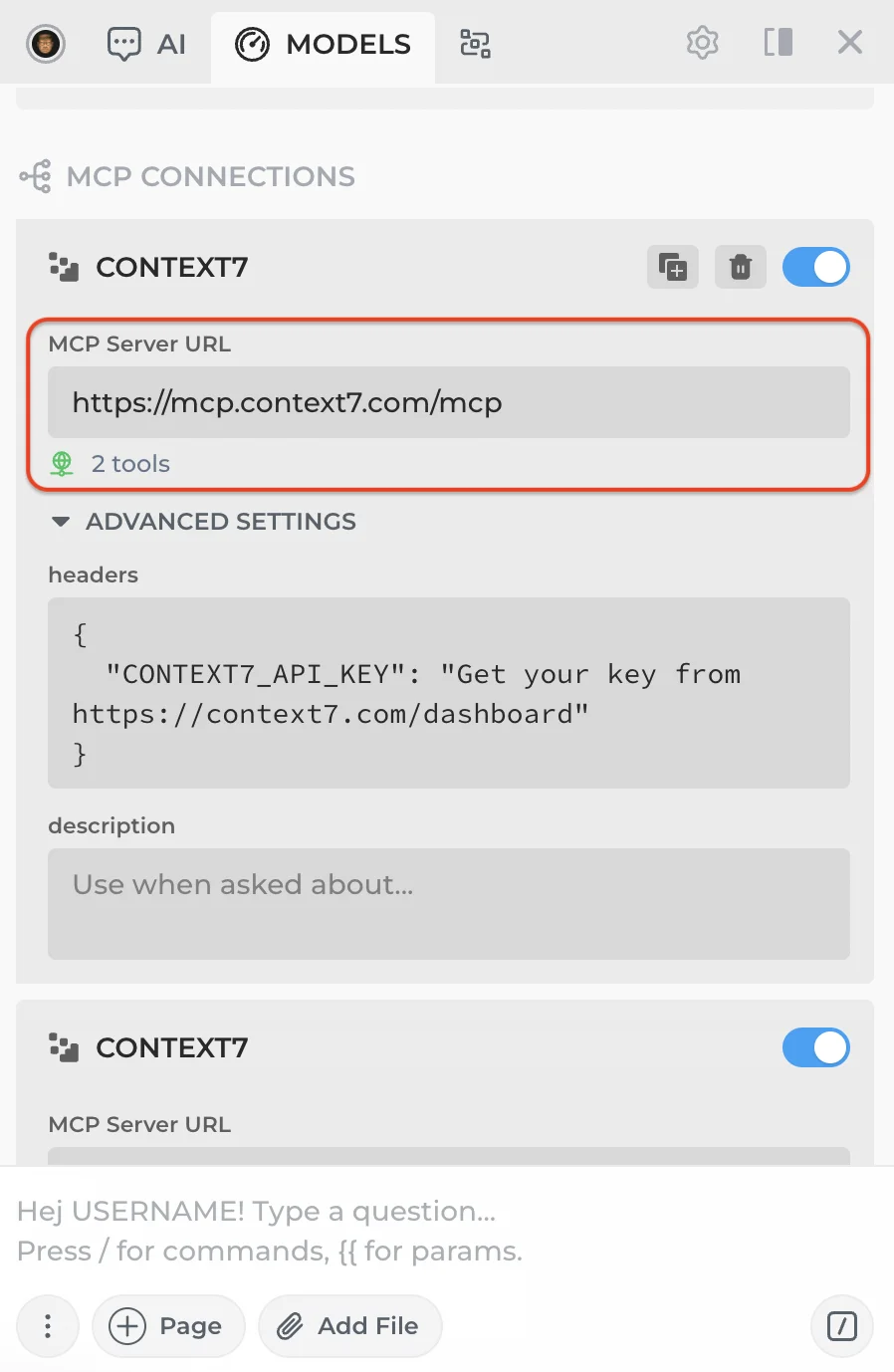
Check your MCP provider's documentation for required headers and add your API key if needed.
-
Optionally, add a description to give the AI extra context, e.g. "Use this MCP for weather data." In most cases the AI will understand the tools on its own — this field is useful for edge cases or less capable models.
-
Toggle the MCP connection on. Once enabled, its tools will be included with every AI request.

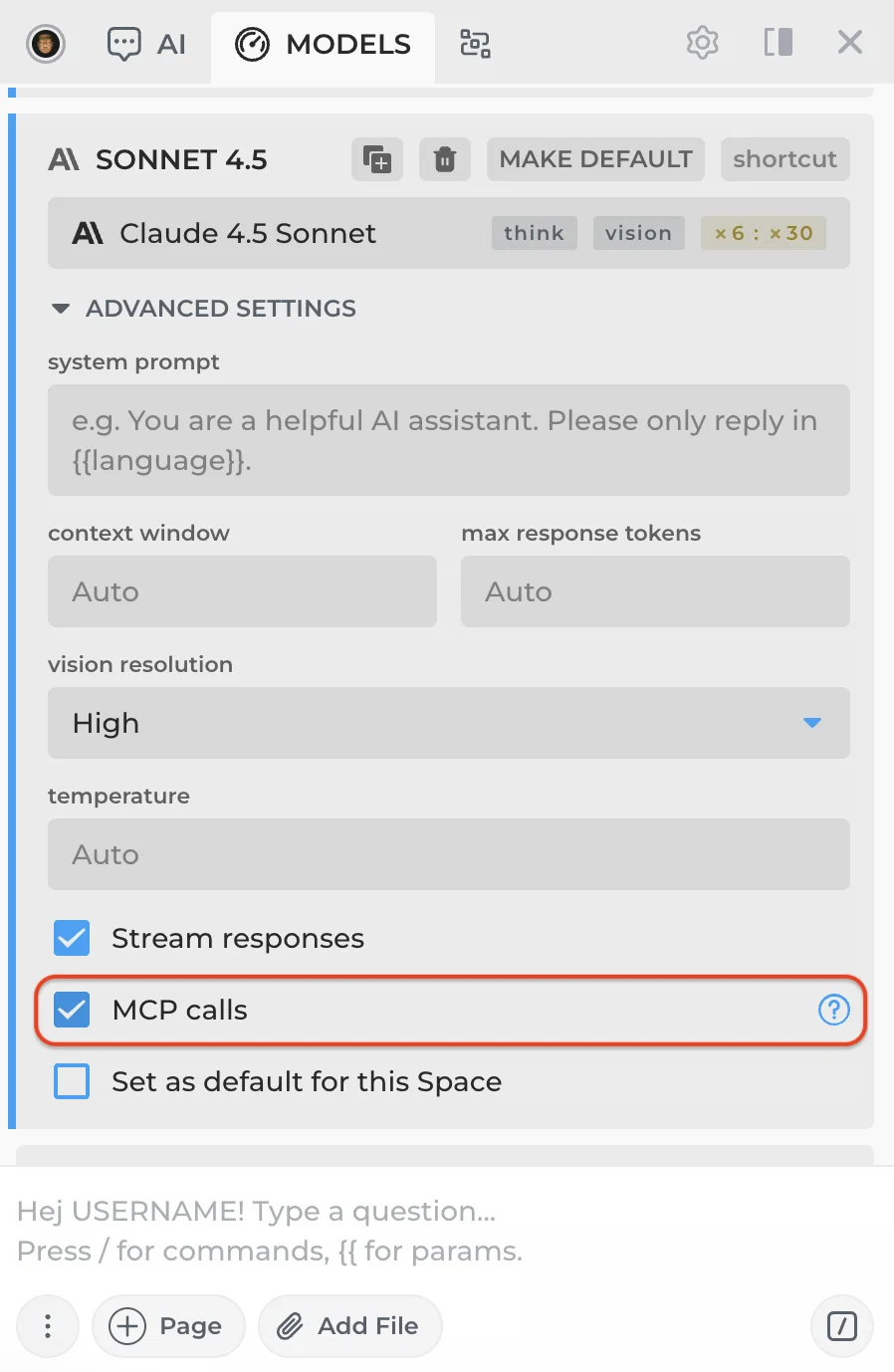
Make sure your CloudGPT or API connection supports MCP calls. Most connections do, but there are exceptions.
To verify that your connection receives MCP tools, find it in the expanded model menu (click MORE) and check the MCP calls toggle at the bottom. This doesn't guarantee full MCP compatibility, but it will send tool definitions along with your requests so you can test whether the connection works.
# Other Connection Types
- CloudGPT Connections — Premium hosted AI models powered by Megatokens.
- Web Session Connections — Free connections through your browser sessions.
- API Connections — Connect using your own API keys.
 NEXT POST
All rights reserved © HARPA AI TECHNOLOGIES LLC, 2021 — 2026
Designed and engineered in Finland 🇫🇮