

Image Generation
# Image Generation in HARPA AI
The default HARPA AI CloudGPT connection comes with built-in image generation. When you ask the AI to generate an image, it creates one directly in the chat — no extra setup required.
# How to Use Image Generation
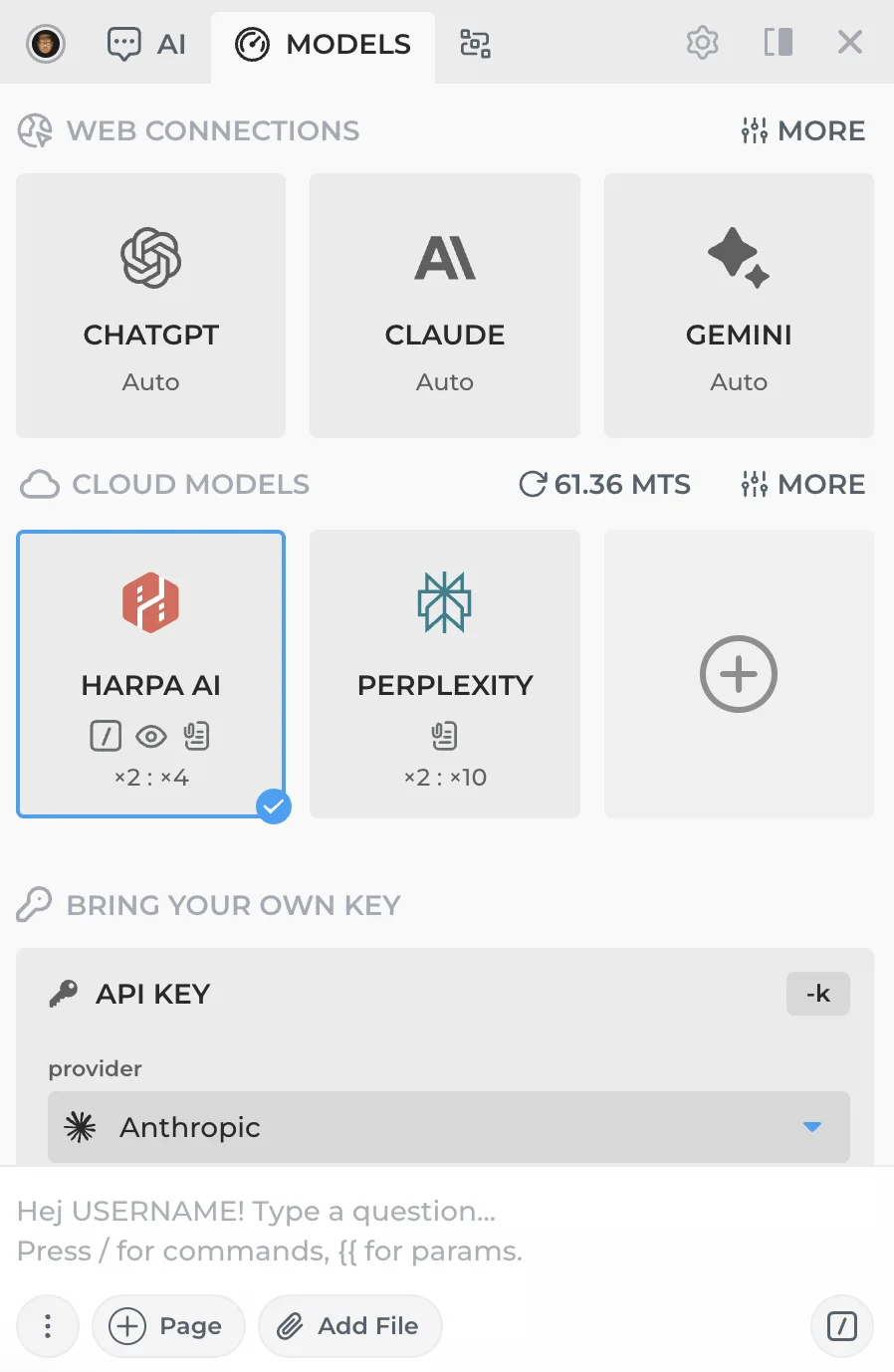
- Make sure you have a HARPA AI CloudGPT connection selected.
-
Ask the AI to generate an image, e.g. "Draw a sunset over the ocean" or "Generate a logo for a coffee shop."
-
The AI will generate and display the image right in the chat.
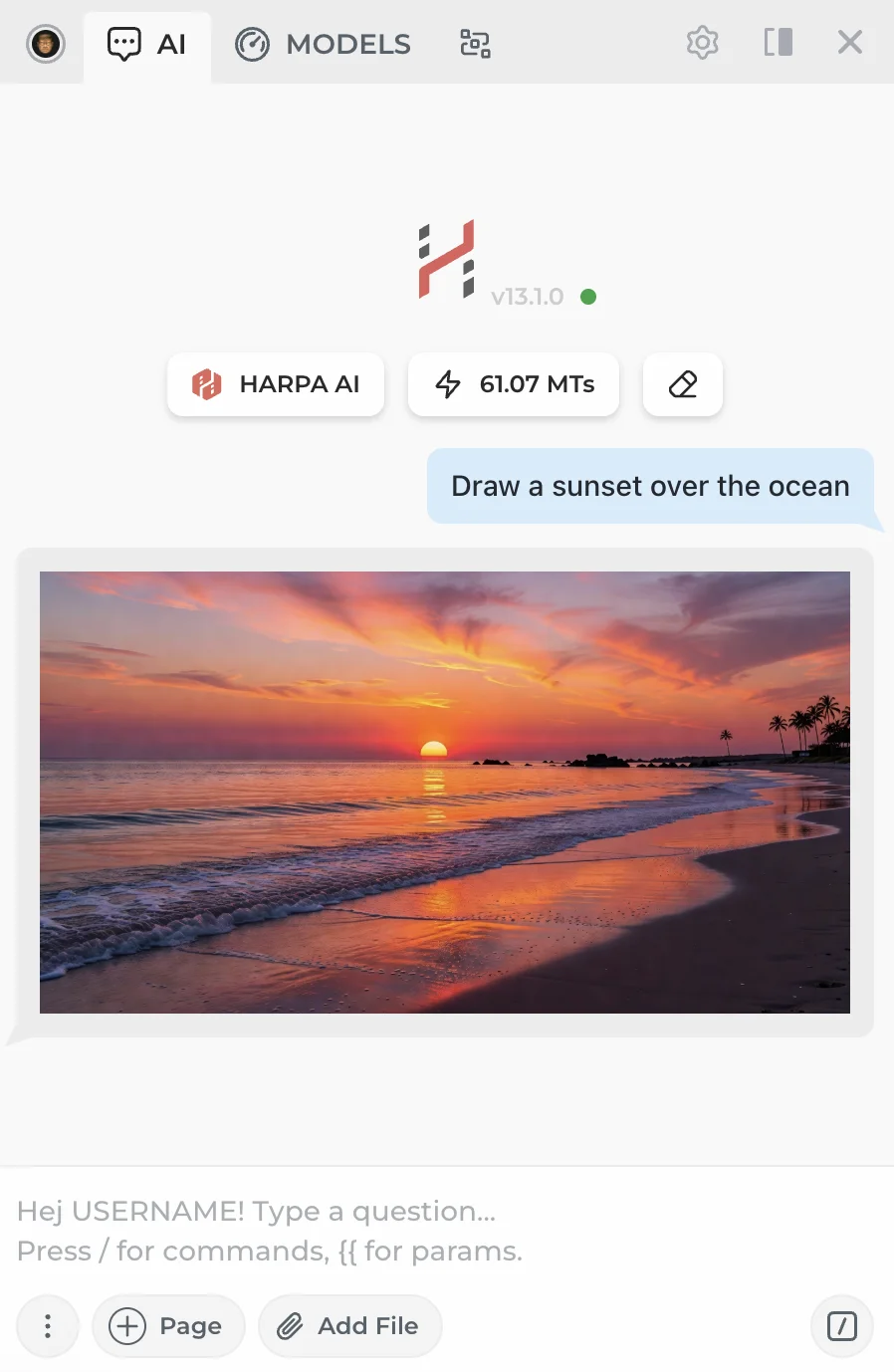
Click on the image to open it full size in a new tab.
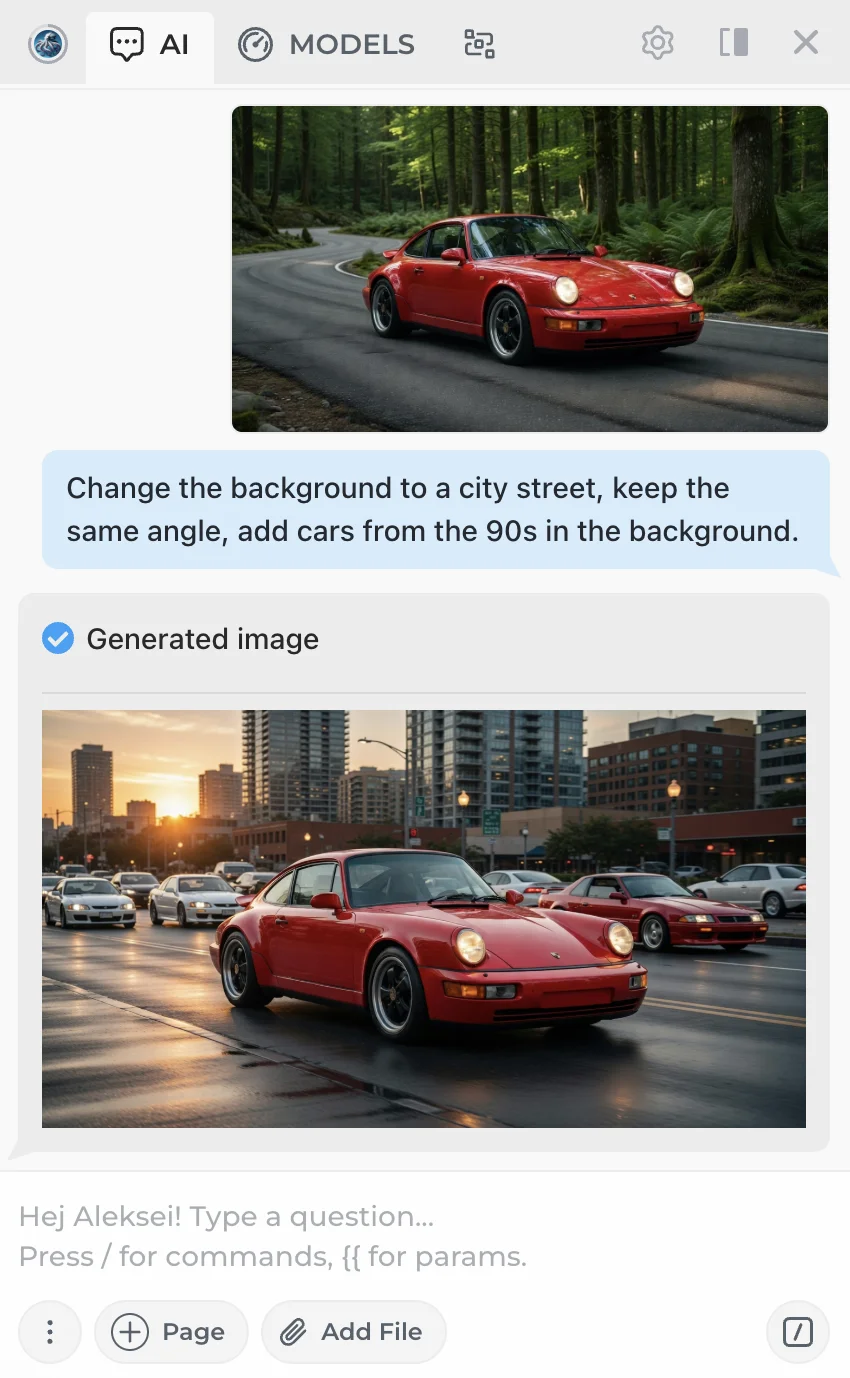
You can also ask the AI to edit an image you've sent:
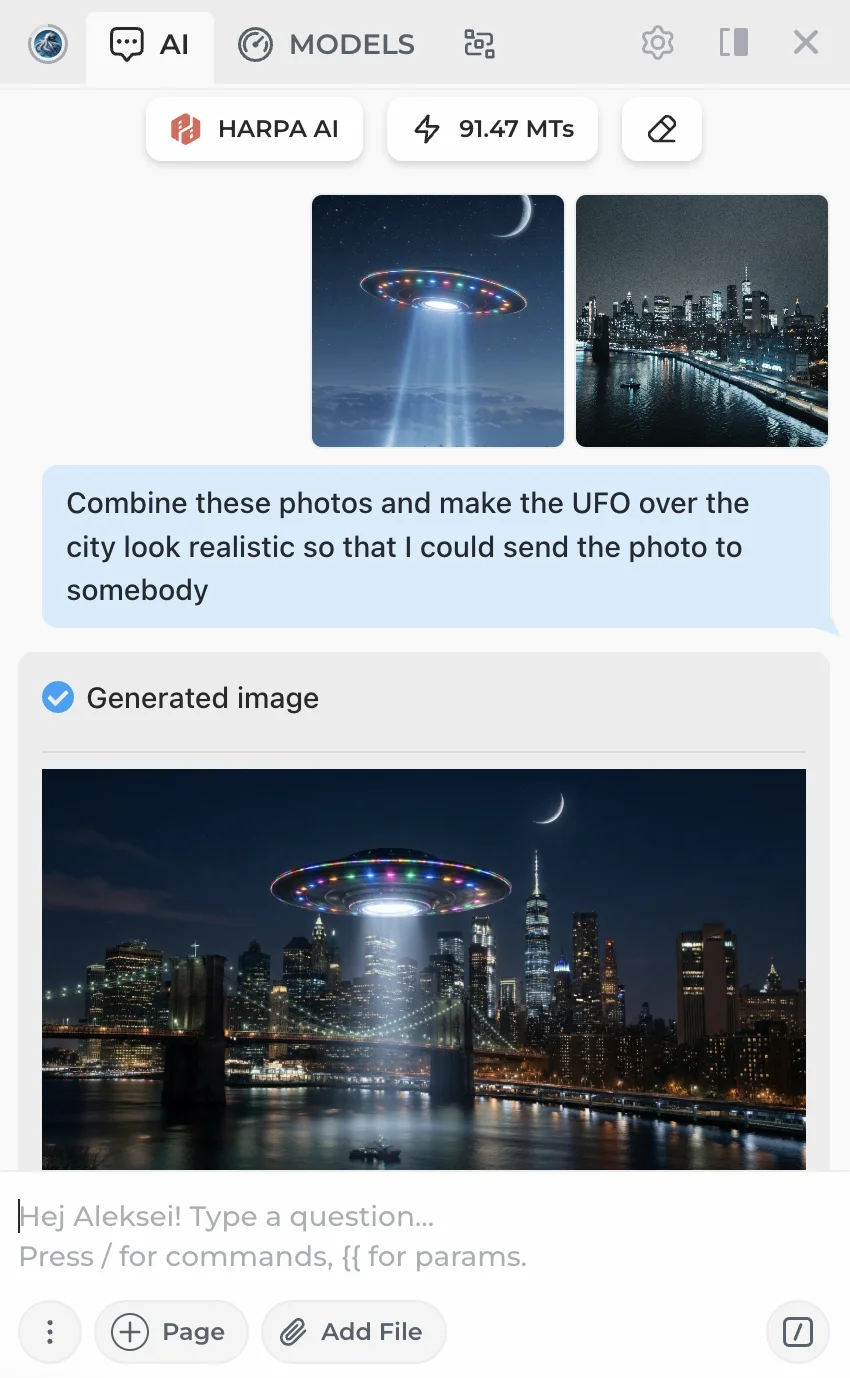
Or combine multiple images into one:
# Prompt Examples
Beyond simple everyday prompts, the AI understands complex descriptions with technical parameters — experiment with camera settings, filters, color palettes, and art styles:
Photography & camera settings:
Street portrait of an elderly man in Tokyo rain, shot on Canon EF 85mm f/1.2 lens, wide open aperture, Kodak Portra 400 film emulation, 16:9 aspect ratio, shallow depth of field with neon bokeh
Aerial drone shot of lavender fields at golden hour, polarizing filter, DJI Mavic color profile, split toning with warm highlights and cool shadows, 3:2 aspect ratio
Color palette & filters:
Vintage diner interior, cross-processed Fuji Velvia look, oversaturated reds and teals, lifted blacks, chromatic aberration on edges, halation around neon signs, 4:5 aspect ratio
Nordic winter cabin, desaturated color palette limited to slate blue, warm grey, and burnt sienna, matte finish, soft diffused overcast lighting, no harsh shadows
Abstract & artistic:
Generative art piece: recursive fractal geometry dissolving into particles, deep black background, accent colors electric cyan and magenta, inspired by Ryoji Ikeda's data sculptures
Fluid dynamics simulation frozen in time — two colliding ink drops in water, one gold and one indigo, extreme macro, white background, hyper-detailed caustics and light refraction
Feel free to mix and match these parameters to get the result you want.
# Related Guides
- CloudGPT Connections — Premium hosted AI models powered by Megatokens.
- AI Web Search — Built-in automatic web search in CloudGPT.
- AI Commands — Over 100 built-in prompts for productivity.
 NEXT POST
All rights reserved © HARPA AI TECHNOLOGIES LLC, 2021 — 2026
Designed and engineered in Finland 🇫🇮