

API Connections
# API Connections
API connections let you bring your own API key from OpenAI, Anthropic, Google Gemini, DeepSeek, xAI Grok, Perplexity, OpenRouter, Straico, or any OpenAI-compatible provider — including local models via Ollama.
Unlike web sessions, API connections never disconnect, never log you out, and aren't subject to per-session rate limits. It's the most reliable way to use AI in HARPA.
# How It Works
-
Open HARPA on any website by clicking its icon or pressing Alt+A (Windows) or ^+A (Mac).
-
Open the AI model menu by clicking the MODELS tab at the top or the three-dot menu in the bottom left corner.
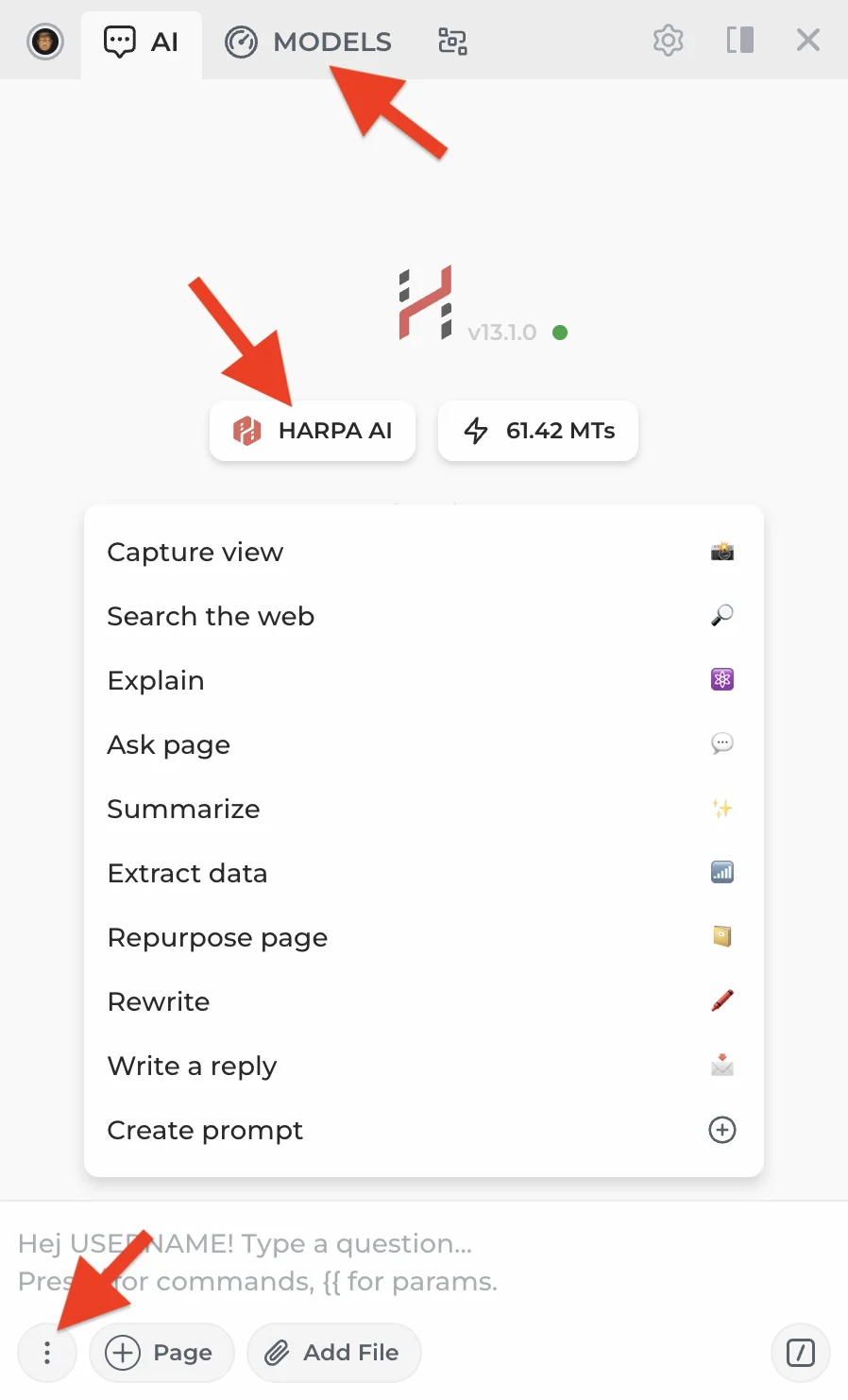
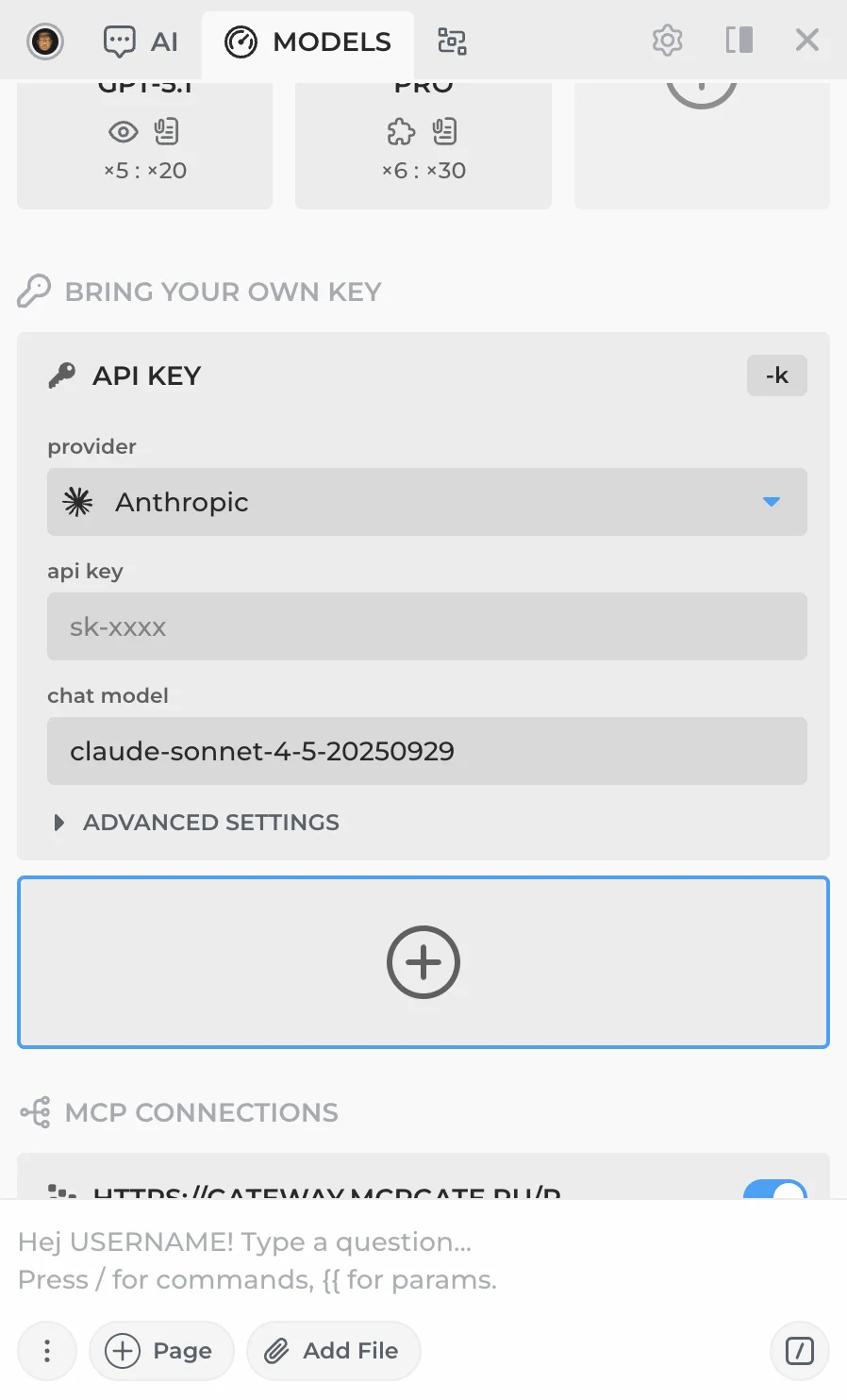
- Scroll down to the Bring Your Own Key section. You'll see your existing API connections and a + button to add a new one.
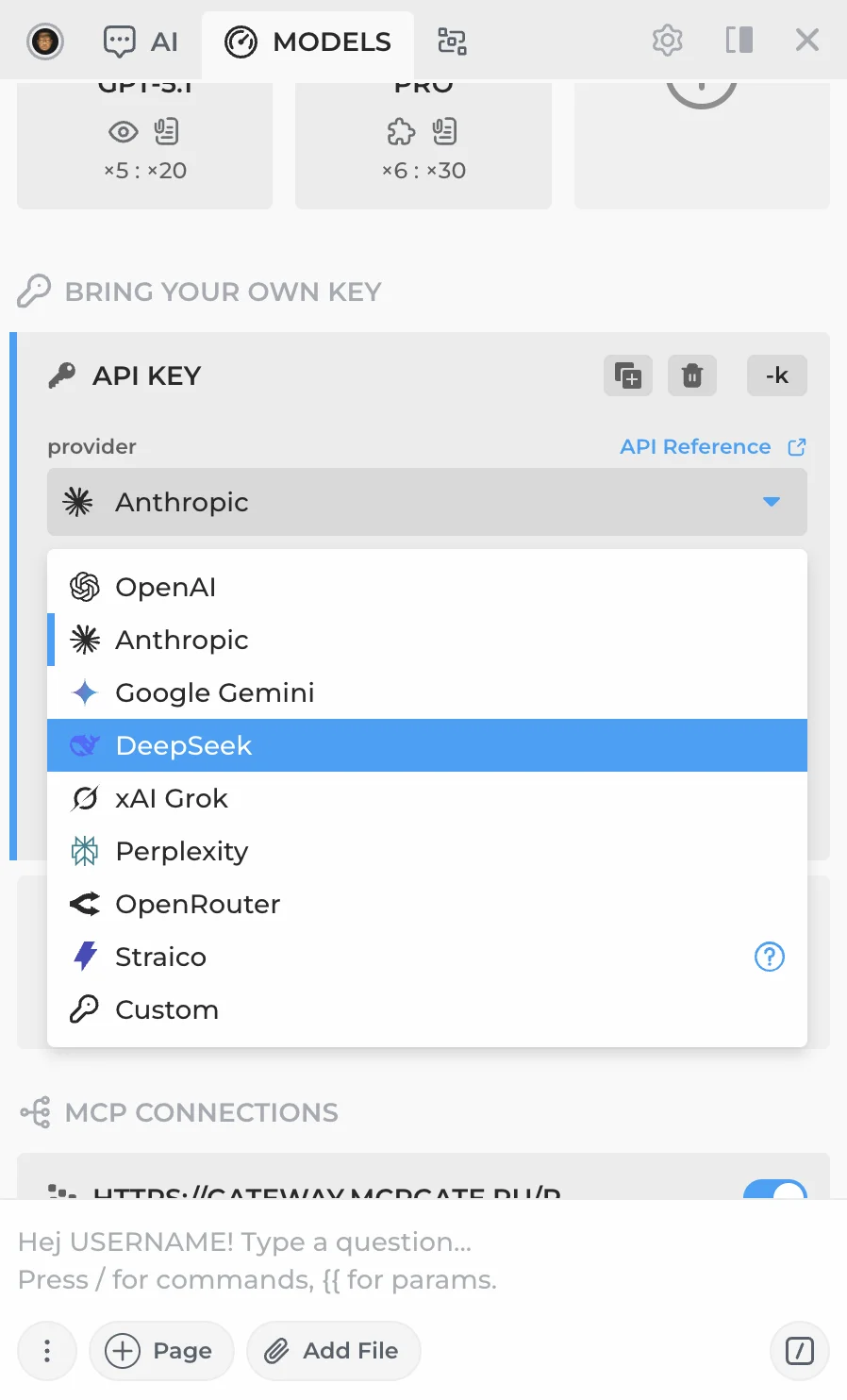
- Click the provider dropdown to pick from the list of presets: OpenAI, Anthropic, Google Gemini, DeepSeek, xAI Grok, Perplexity, OpenRouter, Straico, or Custom for any other provider.
- Paste your API key — the rest of the fields are pre-filled for the selected provider. Expand Advanced Settings to customize the API proxy URL, proxy path, headers, system prompt, and more.
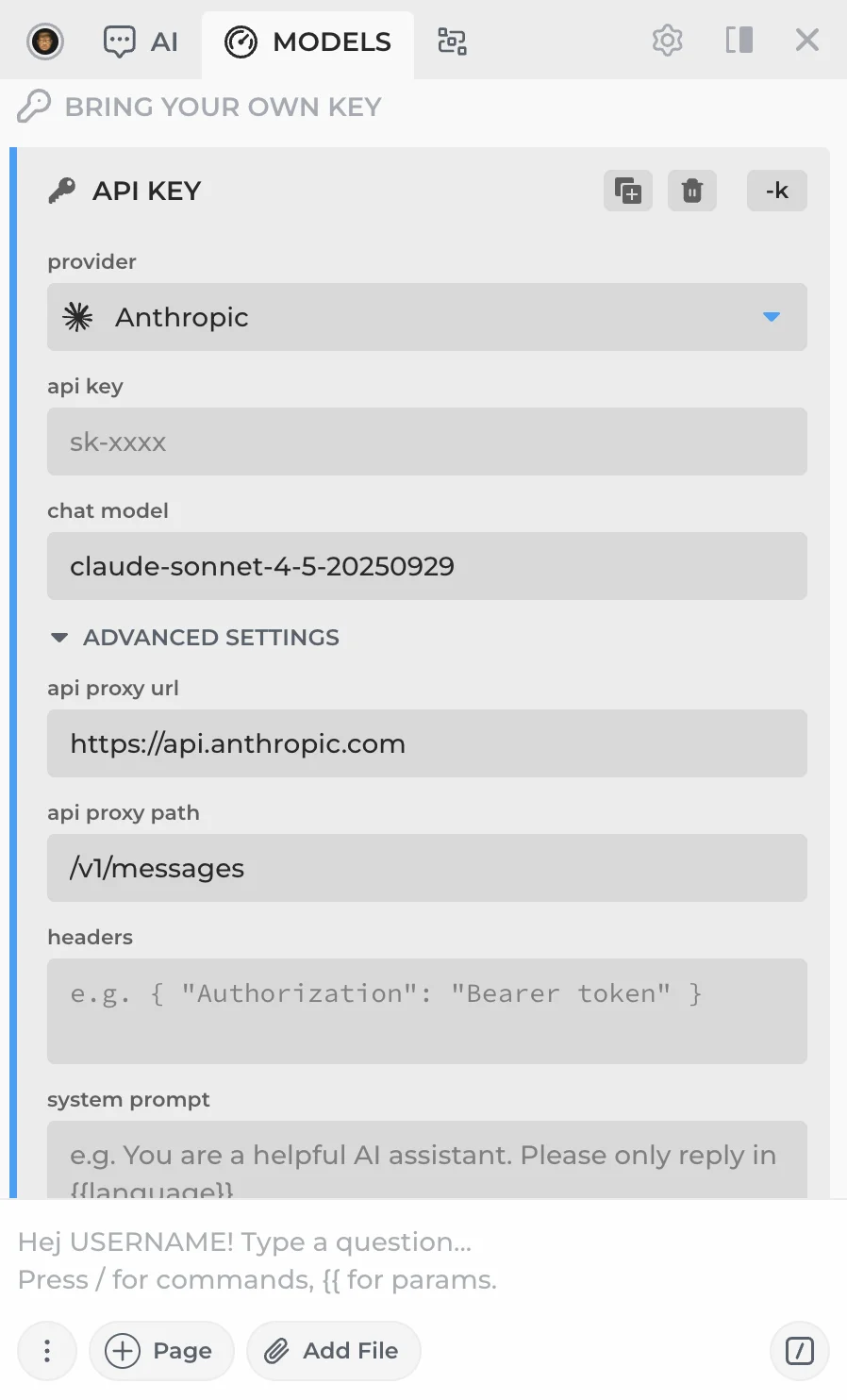
Double-check that your API URL and proxy path are correct and that billing is enabled on your provider account — this is the most common setup issue.
# Benefits
- No request limits. API keys are pay-as-you-go — use as much as you need.
- Stable connection. No disconnects or session expiry.
- Access to all models. GPT-5.4, Claude 4.6, Gemini, Mistral, Llama 4, DeepSeek, Grok, and hundreds more.
- Custom providers. Any OpenAI-compatible API, including self-hosted models via Ollama.

If you don't want to manage API keys, consider CloudGPT — our managed premium connection with no setup required.
# Available API Connection Guides
- Connecting to OpenAI API — GPT-5.4, GPT-5 Nano, and other OpenAI models
- Connecting to OpenRouter — Hundreds of models (Mistral, Llama 4, Perplexity, and more) via a single API
- Connecting to Local LLMs — Run Llama 4, Phi, Gemma, Mistral locally via Ollama
- Connecting to DeepSeek — DeepSeek V3 at a fraction of the cost of premium models
- Regional Search via SerpApi — Real-time Google search results via API
- Connecting to Perplexity AI — Perplexity search models via OpenRouter or API
- Web Search Operators — Advanced Google search operators for precise results
 NEXT POST
All rights reserved © HARPA AI TECHNOLOGIES LLC, 2021 — 2026
Designed and engineered in Finland 🇫🇮