Find anything with the command palette
One shortcut on any page: commands, chats, automations, or ask AI.
On this page
The command palette is the fastest way into HARPA. Press one shortcut on any page, type a few letters, and run a command, reopen a chat or jump to an automation without opening the panel first.
| Open the palette | How |
|---|---|
| Shortcut on Mac | Ctrl+K |
| Shortcut on Windows | Alt+K |
| Double slash | Type // anywhere on a page, outside a text field |
| Quick access bar | Click the HARPA button on the page, if you turned the bar on |
The shortcut works in text fields too, and the page never sees the key.
# Open it and pick something
- Open any web page and press Ctrl+K on Mac or Alt+K on Windows.
- Before you type, the palette shows your Favorites, the commands made for the site you're On this page, and your Recent chats.
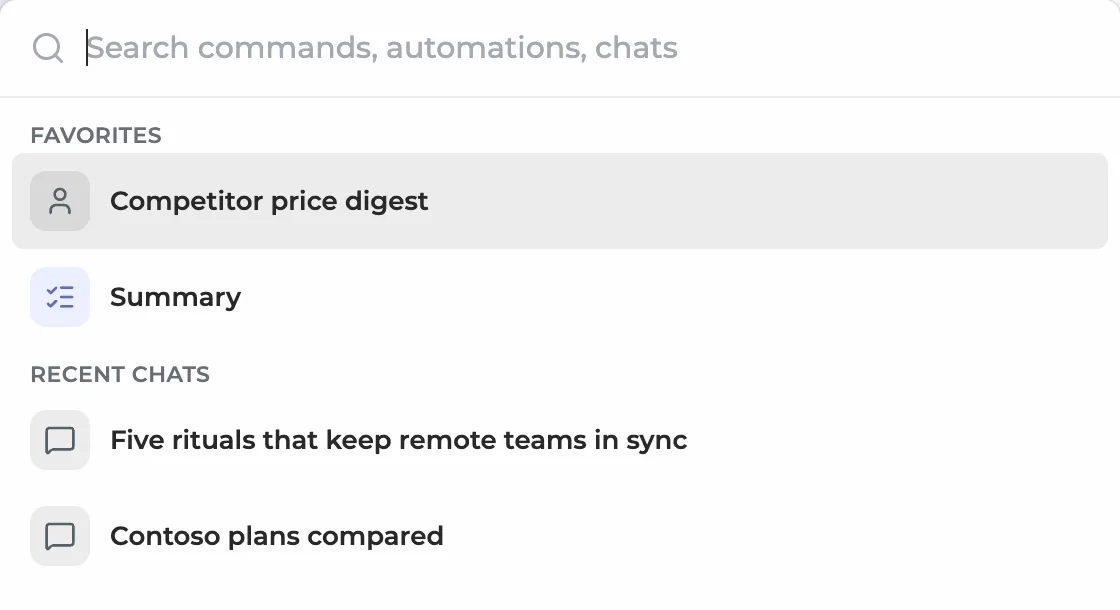
- Use ↑ and ↓ to move, Enter to run the selected row. Esc or the shortcut again closes the palette.
# Search commands, chats and automations
Type a few letters. Results come in groups: Commands, Automations, Chats and Go to (Automations, Inbox, Settings, Start new chat). Typos are fine, and the rows you pick most often move up.
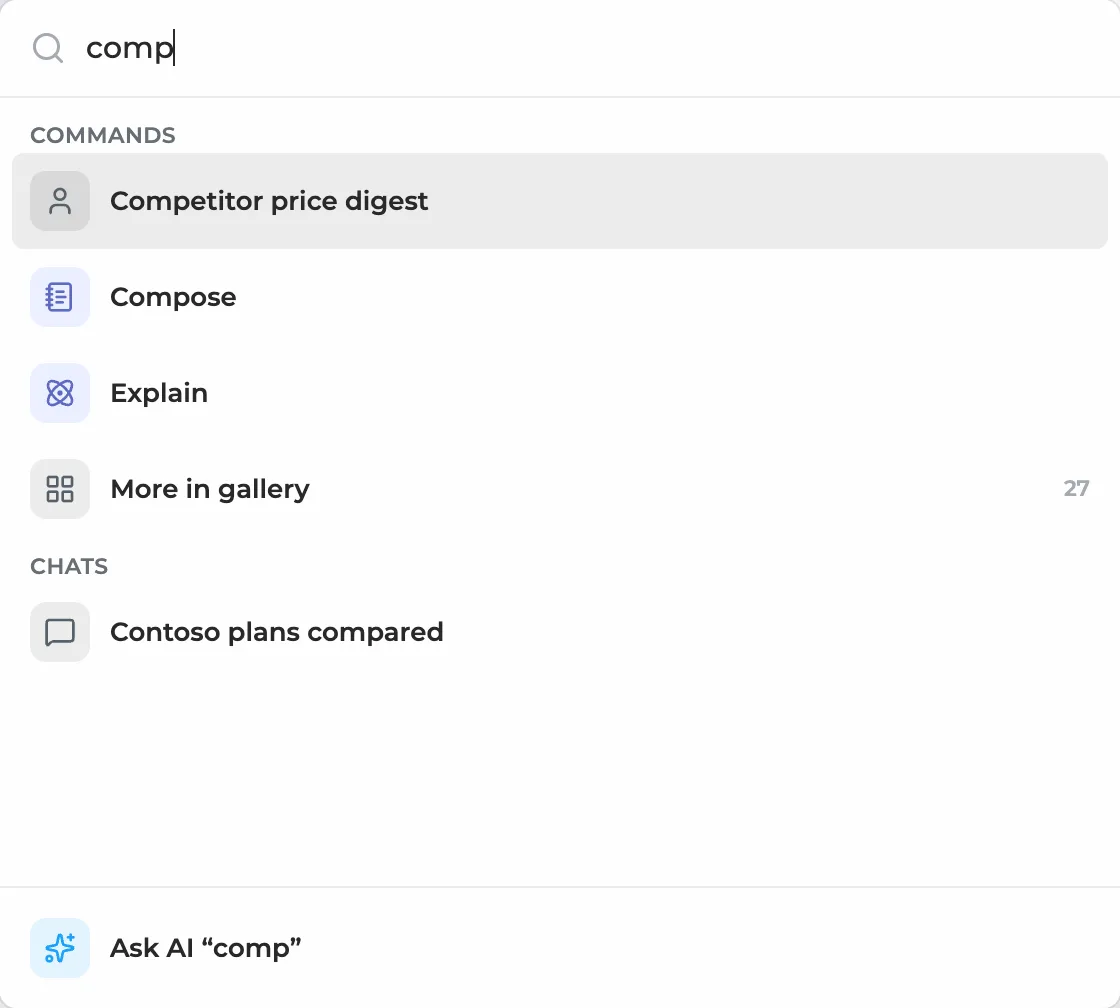
- More in gallery opens the command gallery with the built-in commands that match but aren't in your list yet.
- Ask AI "…" at the bottom opens a new chat and sends what you typed as a question.
- Select text first to work on it: the palette passes the selection to the command you run, like Explain or Translate.
# Change the shortcut
- Open HARPA (Alt+A on Windows, Ctrl+A on Mac) and click the gear icon.
- Scroll to Shortcuts and click the keys next to Open palette.
- Press the new combination, a modifier and a key. Reset all brings the default back.
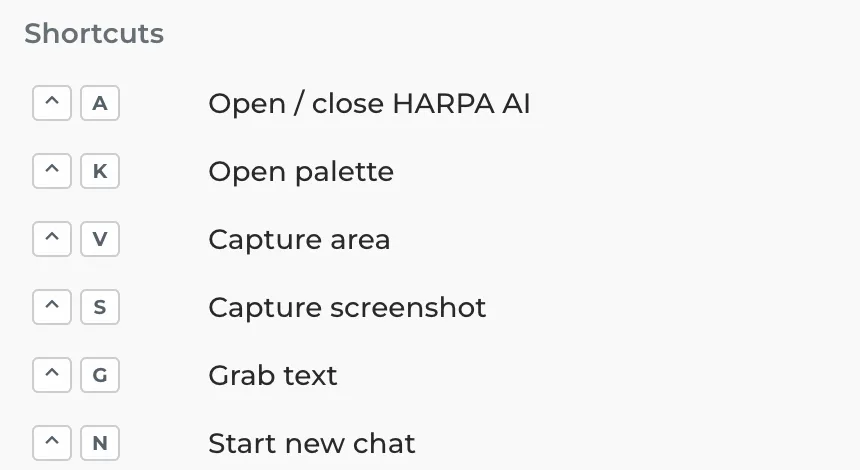
To stop // from opening the palette, turn off Use double slash // hotkeys under Quick access bar in the same settings.
# Good to know
- The palette doesn't open on sites in the Always hide on list (Settings, Quick access bar), in fullscreen video or over a page's own pop-up dialog.
- It needs Chrome 114 or newer, or a browser on the same engine (Edge, Brave, Opera, Arc).
- Commands and Ask AI run on the model you picked in the chat. On HARPA's cloud models they use cloud credits, see Cloud models and credits.