

Web Session Connections
# Web Session Connections
Web session connections let HARPA AI use your existing ChatGPT, Claude AI, or Google Gemini login — no API keys or extra payments required.
HARPA communicates with the AI provider through your active browser session. If you have a ChatGPT Plus, Claude Pro, or Gemini Advanced subscription, HARPA will use the premium models available on your account.
# How It Works
-
Log in to the AI provider (ChatGPT, Claude, or Gemini) in your browser.
-
Open HARPA on any website by clicking its icon or pressing Alt+A (Windows) or ^+A (Mac).
-
Open the AI model menu by clicking the MODELS tab at the top or the three-dot menu in the bottom left corner.
-
Web Connections are at the top. You'll see three cards: ChatGPT, Claude, and Gemini. Click one to select it as your default connection.
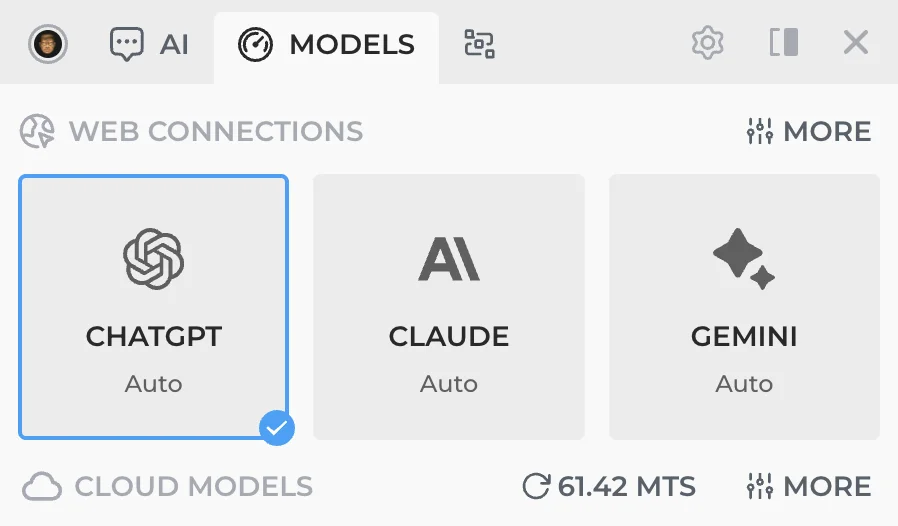
- For more options, click MORE to expand the full list. Here you can pick specific ChatGPT models (including GPTs), choose a Claude model from the dropdown, or set a Gemini connection.
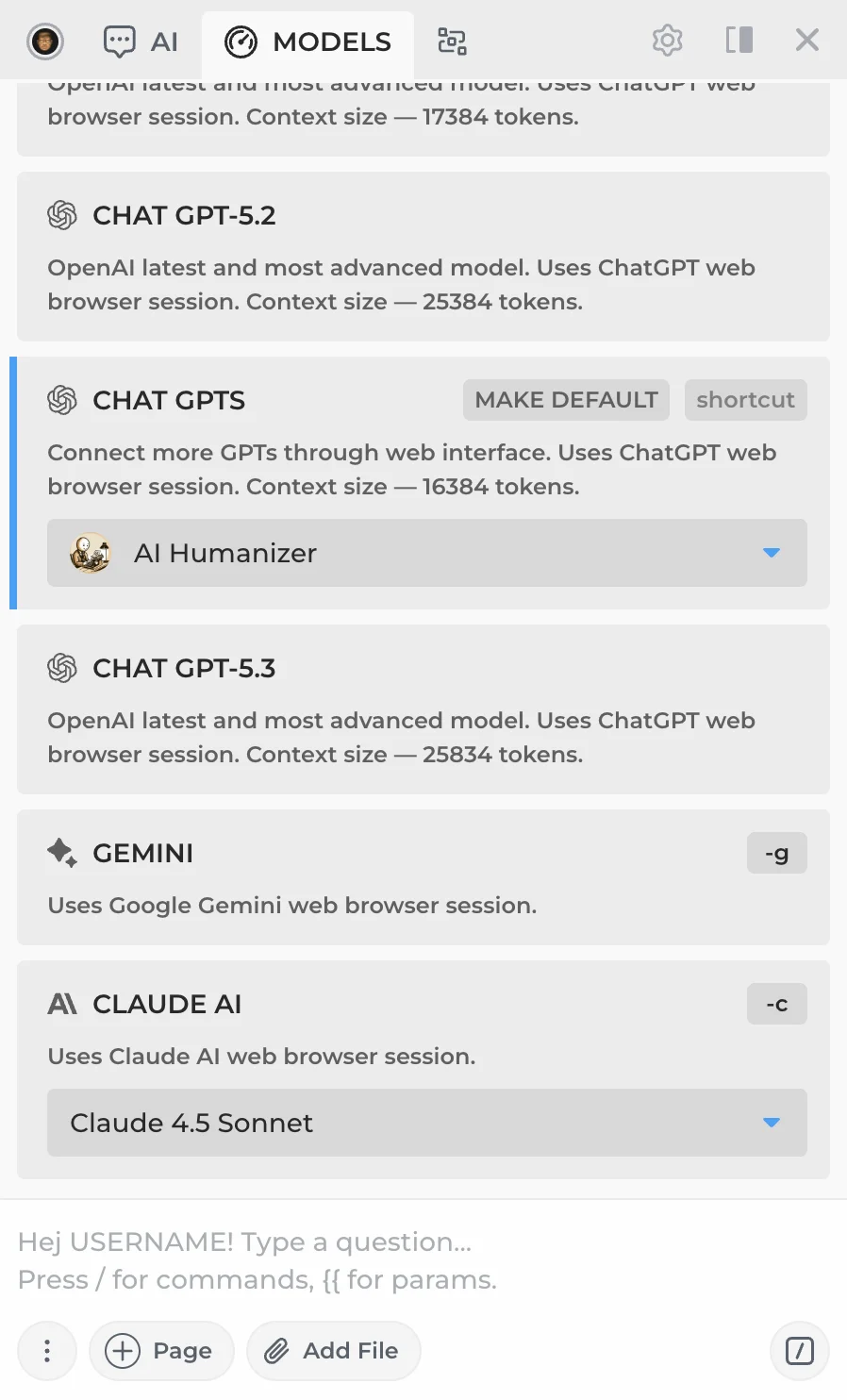

Gemini model must be selected on the Gemini website directly, as the web session doesn't support sending a model name with requests.
- Your first request will verify the session. If you're not logged in, HARPA will redirect you to the provider's login page.
# Benefits
- Free to use. If you already have a ChatGPT, Claude, or Gemini account, web sessions cost nothing extra.
- Access premium models. ChatGPT Plus users get GPT-5.4, Claude Pro users get Opus 4.6 and Sonnet 4.6, Gemini Advanced users get Gemini 3.1 Pro.
- Zero configuration. No API keys, billing setup, or proxy URLs — just log in and go.
# Limitations
- Rate limits. AI providers may throttle requests. ChatGPT Plus, for example, has per-session rate limits on premium models.
- Session expiry. Sessions can expire or disconnect, requiring you to log in again.
- Regional restrictions. Some providers are unavailable in certain countries. A VPN may help (e.g., Browsec VPN).
For a faster, more stable alternative with a wider range of models, consider CloudGPT.
# Available Web Session Connections
- Connecting to ChatGPT — GPT-5.4, GPT-5 Nano via your OpenAI account
- Connecting to Claude AI — Claude Sonnet 4.6, Opus 4.6 via your Anthropic account
- Connecting to Google Gemini — Gemini 3.1 Pro via your Google account
- Connecting to OpenAI GPTs — Custom GPTs from the GPT Store
 NEXT POST
All rights reserved © HARPA AI TECHNOLOGIES LLC, 2021 — 2026
Designed and engineered in Finland 🇫🇮