Connecting to Local LLMs
Connect Ollama with HARPA AI to run local LLMs like Llama3, Qwen2, Phi3, and Gemma.
On this page
# What is Ollama
Ollama is a tool for running open-source large language models (LLMs) on your own computer. Unlike closed models like ChatGPT, Ollama offers transparency and customization.
Some popular open-source language models include:
-
Llama 3 8b and 70b by Meta: A large, general-purpose model with 8 or 70 billion parameters.
-
Phi-3 by Microsoft: A powerful and lightweight 3B (Mini) and 14B (Medium) LLMs, good for less powerful computers.
-
Mistral 7b: A compact model with 7 billion parameters.
Find all Ollama models here: ollama.com/library
# Download and Install Ollama
-
Go to ollama.com and download the version for your operating system.
-
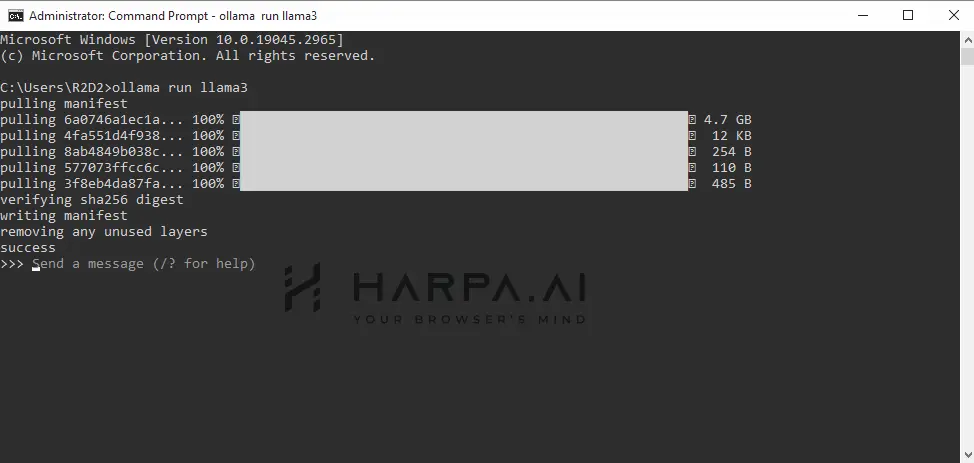
Once installed, run the following command in your Terminal (Console) to download Llama 8b:
ollama run llama3
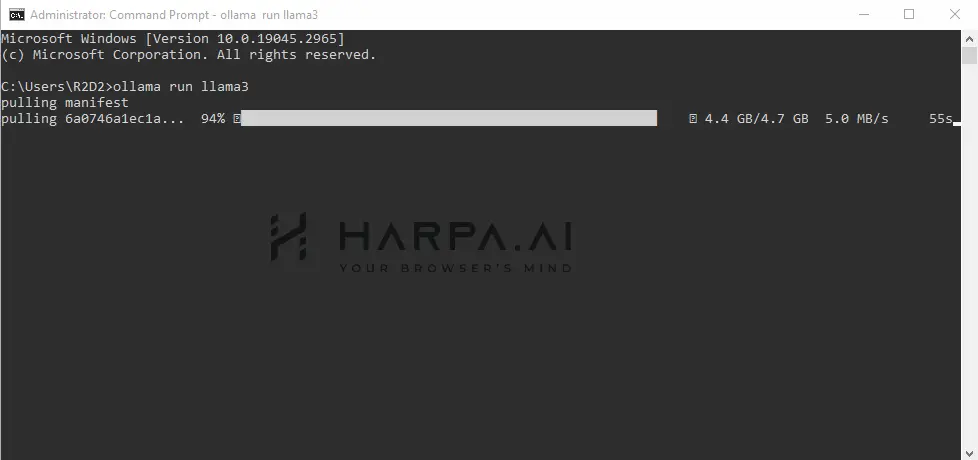
If you want to use a different LLM, select it from the list and apply the correct command parameter in your Terminal.
Here are some example models that can be downloaded:
| Model | Parameters | Size | Download |
|---|---|---|---|
| Llama 3 | 8B | 4.7GB | ollama run llama3 |
| Llama 3 | 70B | 40GB | ollama run llama3:70b |
| Phi 3 Mini | 3.8B | 2.3GB | ollama run phi3 |
| Phi 3 Medium | 14B | 7.9GB | ollama run phi3:medium |
| Gemma 2 | 9B | 5.5GB | ollama run gemma2 |
| Gemma 2 | 27B | 16GB | ollama run gemma2:27b |
| Mistral | 7B | 4.1GB | ollama run mistral |
| Moondream 2 | 1.4B | 829MB | ollama run moondream |
| Neural Chat | 7B | 4.1GB | ollama run neural-chat |
| Starling | 7B | 4.1GB | ollama run starling-lm |
| Code Llama | 7B | 3.8GB | ollama run codellama |
| Llama 2 Uncensored | 7B | 3.8GB | ollama run llama2-uncensored |
| LLaVA | 7B | 4.5GB | ollama run llava |
| Solar | 10.7B | 6.1GB | ollama run solar |
- Once loaded, type your queries or /exit to quit.
# Connecting Ollama to HARPA AI
HARPA supports BYOM (Bring Your Own Model) concept through API Key connections.
-
Close the Ollama app on your computer and close the Terminal window running Ollama.
-
Open a new Terminal tab and enter:
For Mac:
OLLAMA_ORIGINS=chrome-extension://* ollama serve
For Windows:
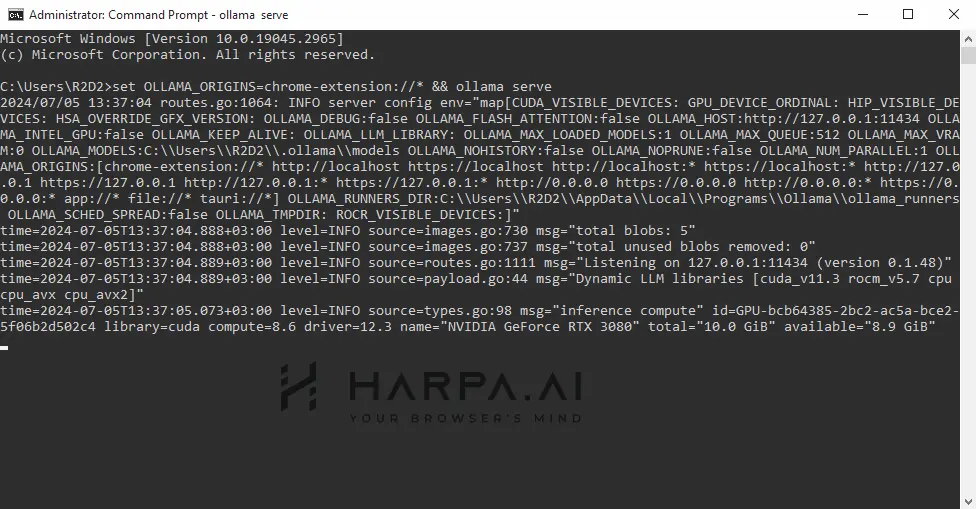
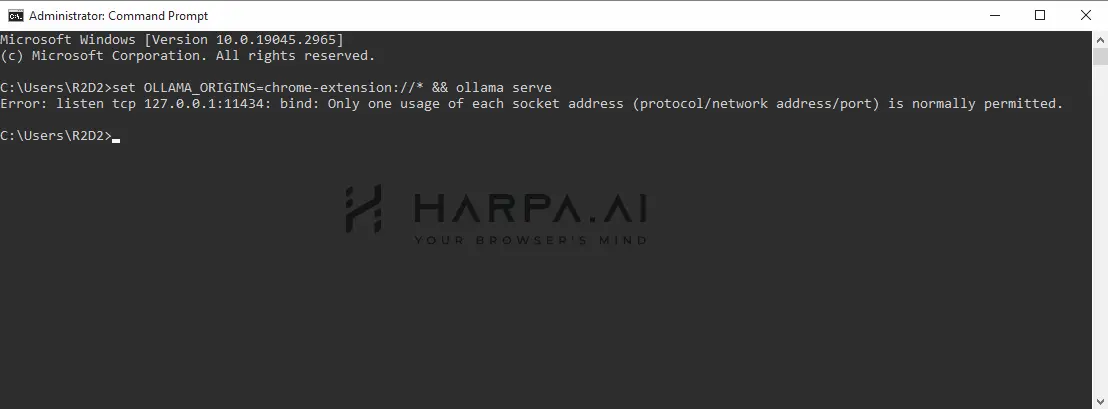
set OLLAMA_ORIGINS=chrome-extension://* && ollama serve
If you see this message in the console, it means you haven't closed the Ollama App or the console.
-
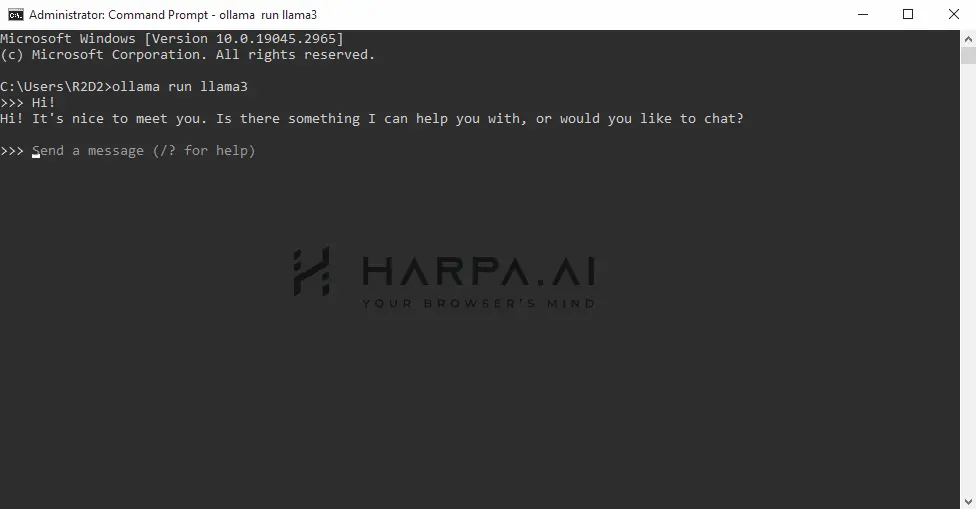
Open another Terminal window and start your local Llama 3:
ollama run llama3
-
Open HARPA by clicking its icon in the top right corner of the Chrome Browser or by pressing Alt+A (on Windows) and ^+A (on Mac).
-
Click on the connections menu in the bottom left corner and select 'API connections'.
-
Set up your API connection with these settings:
API KEY: i-love-harpa
CHAT MODEL: llama3
API PROXY URL: http://localhost:11434/
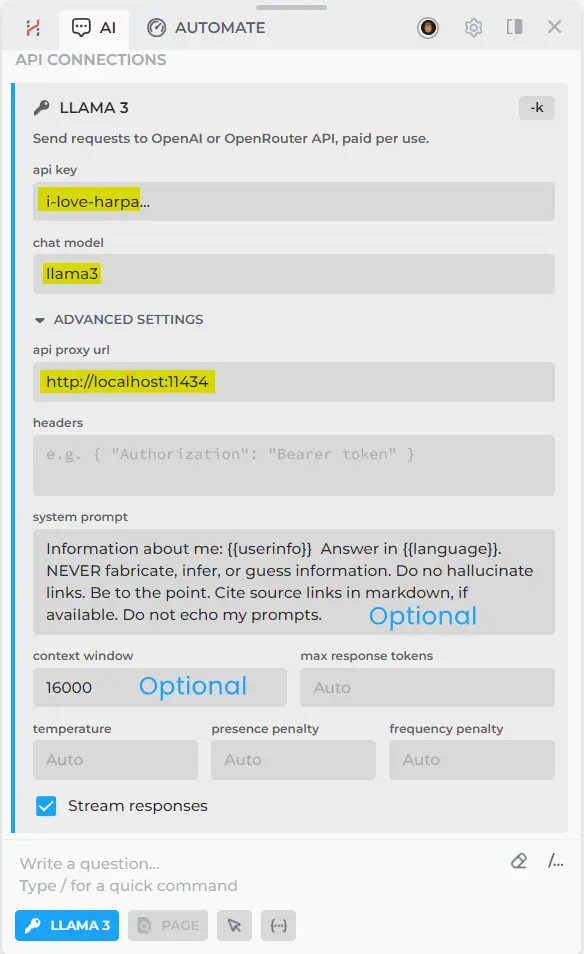
Test your new connection, fine-tune instructions, system prompt, context size and other settings to achieve better results.
That's it. With a powerful PC, you can significantly save resources on tasks that your local model can handle, instead of spending money on AI API calls.