

Top Free Web Scraping Tools and Chrome Extensions 2026: Best Data Extraction Software
# What is Web Scraping and Why Use Free Tools in 2026?
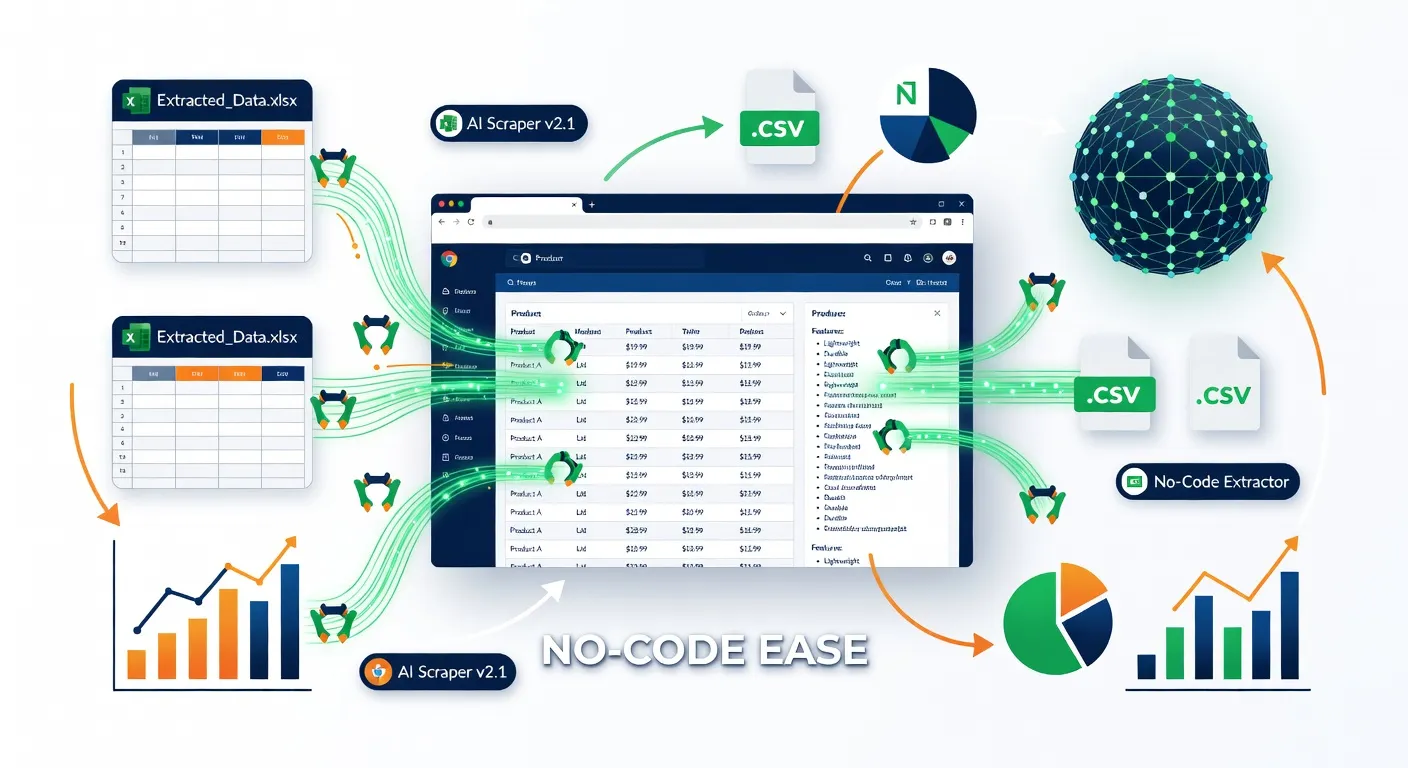
Web scraping is the process of extracting data from websites automatically, turning unstructured web content into structured formats like CSV or Excel for analysis, research, or automation. In 2026, free web scraping tools and Chrome extensions are essential for data extraction without coding skills.
For no-code users, these tools enable automating data extraction from any site — perfect for marketers, researchers, and e-commerce sellers. Chrome extensions lead the pack for quick, browser-based web data extraction, with top options like Instant Data Scraper boasting 1M users. This guide covers the best free web scraping tools, from point-and-click basics to AI web scraping powerhouses, helping you extract data from websites effortlessly.
# Top Free Web Scraper Chrome Extensions for Quick Data Extraction
For fast data extraction, non-AI free web scraper Chrome extensions excel in point-and-click simplicity, ideal for single or multi-page sites.
-
Instant Data Scraper (1M users, 4.9/5 from 7K reviews): AI-driven table detection handles pagination and infinite scroll, unlimited CSV/Excel exports. Completely free forever. Chrome Store
- Pros: Easy setup, no limits.
- Cons: Less flexible for non-tabular data.
-
Web Scraper (800K users, 4.0/5): Supports dynamic JS/AJAX sites, pagination via sitemaps, CSV/XLSX/JSON exports. Free local use. Chrome Store
- Pros: Robust for complex sites.
- Cons: Steeper learning curve.
-
Data Miner (200K-300K users, 4.0/5): 500 pages/month free, recipes for logins/pagination, 1M+ pre-built scrapers. Chrome Store
- Pros: Community recipes.
- Cons: Page limits on free plan.
# Instant Data Scraper: Best for Unlimited Table Extraction
Instant Data Scraper tops free data scraper Chrome extension lists with 1M users and a 4.9/5 rating. This easy web data scraper uses AI heuristics to detect tables automatically, supporting pagination and infinite scroll for sites like e-commerce listings.
It offers unlimited local exports to CSV/Excel — no cloud needed. Install, click "Scrape," and download cleaned data instantly. Ideal for e-commerce sellers monitoring stock.
# Web Scraper: Ideal for Dynamic Sites and Pagination
Web Scraper serves 800K users, excelling at dynamic sites via sitemaps for pagination and JS rendering. Export to CSV/XLSX/JSON locally for free.
It handles AJAX-heavy pages better than basic tools. WebScraper.io docs guide creating sitemaps visually and previewing data. Great for researchers pulling article lists.
# Best AI Web Scraping Tools and Chrome Extensions
AI web scraping tools elevate data extraction with LLMs for no-code prompts:
- HARPA AI: Page-aware AI extension with {{page}} parameter for web data extraction, {{grab}} for element-level scraping, and custom AI commands for automated workflows. See details below.
- Thunderbit (100K users, 4.3/5): 2-click scraping with AI, free exports to Excel/Sheets (6 pages/month free). Chrome Store
- AIScraper (3K users, 4.5/5): AI for dynamic/pagination, free credits. Chrome Store
These beat traditional tools for intent-based extraction like "scrape emails from this page."
# HARPA AI: AI-Powered Web Data Extraction and Automation
HARPA AI offers two approaches to web scraping — directly in the browser extension, and remotely via the GRID API.
# In-Browser: Page Crawler and Data Extraction
HARPA uses the {{page}} parameter to fetch and extract data from any website. You can combine it with {{grab}} for element-level extraction using CSS, XPath, or text selectors.
The {{page}} parameter supports query, URL, and limit arguments:
{{page url}}— retrieve content from a specific URL{{page query}}— scan page content for text semantically similar to a query{{page limit=500}}or{{page limit=10%}}— limit output in tokens or percentage of context window
For example, you can build a custom Customer Service Agent command that searches a specific website and responds to user queries using fetched data:
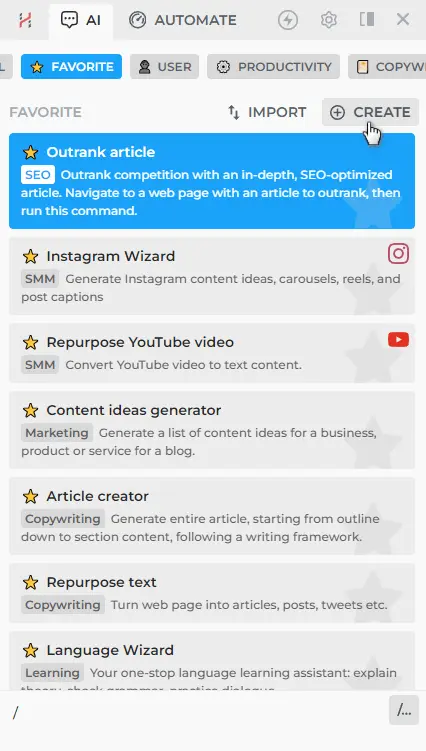
Create a command with ASK steps for user query and website URL, then use CALC and GPT steps to search, extract, and answer:
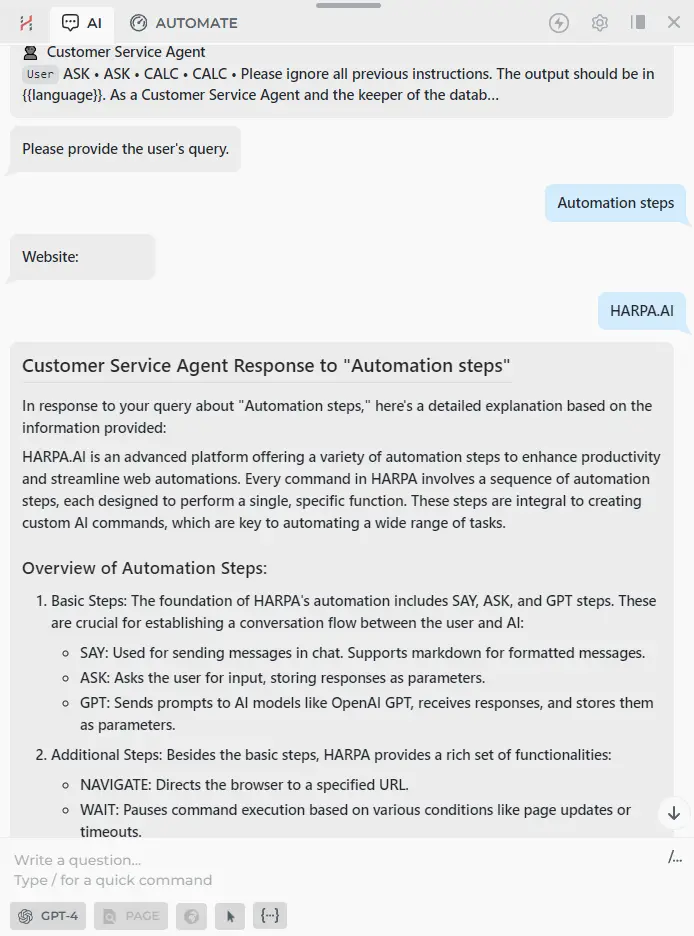
Two crawling approaches are available:
- Page fetching — suitable for server-side rendered websites. Fast, but may not work on JS-heavy sites.
- Navigate & Extract — versatile approach using LOOP and NAVIGATE steps to process a list of links sequentially. Works on any resource.
See the full Page Crawler guide for step-by-step setup.
# Remote: GRID API and Make.com Scraping Module
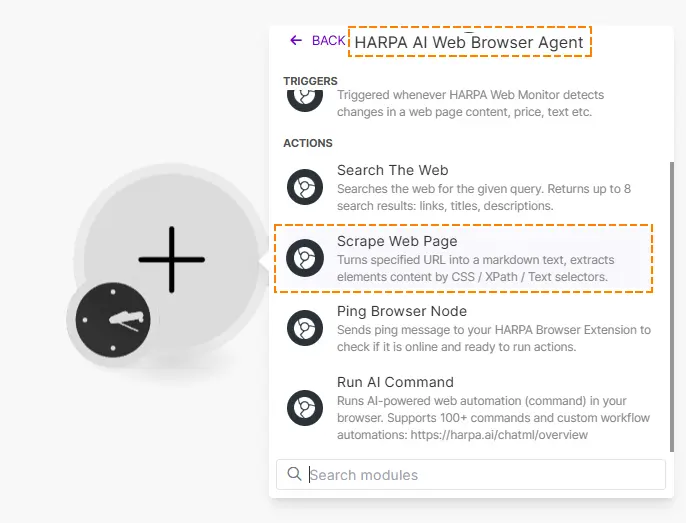
For server-side automation, HARPA GRID provides a Scrape Web Page module in Make.com that parses webpage content in Markdown format using your browser as a node.
How to scrape remotely:
- Set up a Browser Automation Node — open HARPA, go to the AUTOMATE tab, enable Remote-Control Browser, and create an API Key.
- In Make.com, add the HARPA: Scrape Web Page module to your scenario.
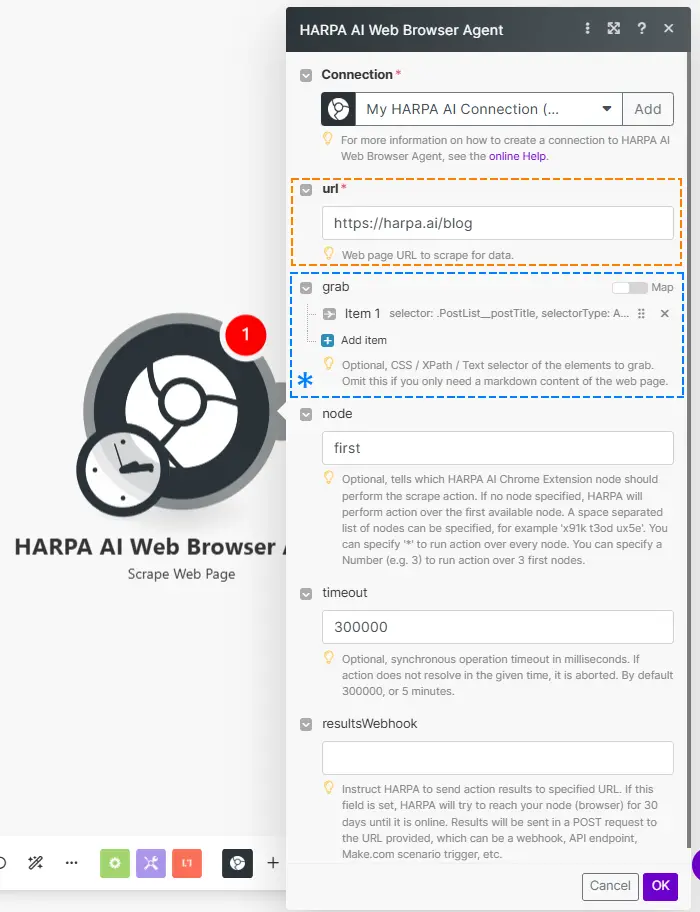
- Select your connection, enter the URL, and optionally add CSS/XPath selectors to grab specific elements.
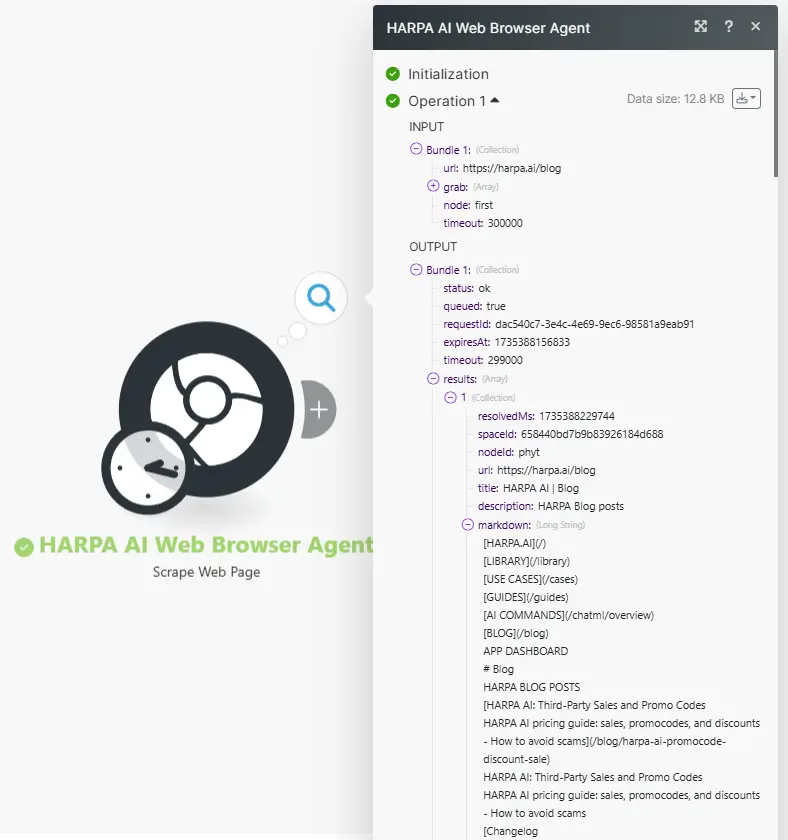
- Click Run once to get parsed content in Markdown format.
You can also call GRID directly via REST API from any programming language, Terminal, Zapier, n8n, or other services. See the Scrape Web Page module docs and Web Search & Scraping guide for practical examples.
# No-Code Web Scraping Platforms with Free Tiers
Beyond extensions, no-code web scraping platforms offer cloud scale with free tiers:
- Apify: $5 credits/month free.
- Octoparse: Limited free plan.
- Bardeen: 100 credits free (200K users, 4.4/5).
Extensions win for browser speed; platforms for bulk jobs.
# How to Choose the Best Web Data Scraper for Your Needs
Selecting a web data scraper depends on your goals:
- Quick table extraction: Instant Data Scraper — unlimited, one-click.
- Dynamic sites with pagination: Web Scraper — sitemaps and JS rendering.
- AI-powered extraction with automation: HARPA AI — page crawler, {{grab}} parameter, Make.com/REST API integration.
- Community recipes: Data Miner — 1M+ pre-built scrapers.
# Step-by-Step: Web Scraping with HARPA AI
How to extract data from web pages with HARPA AI:
- Install the HARPA AI Chrome extension.
- Navigate to the target site.
- Press Alt+A (Windows) or ^+A (Mac) to open HARPA.
- Use
{{page url}}in a prompt to fetch content, or{{grab selector}}to extract specific elements. - For multi-page crawling, create a custom command with LOOP and NAVIGATE steps. See the Page Crawler guide.
- For remote scraping, set up a GRID Node and use the Scrape Web Page module in Make.com.
# Further Reading
 NEXT POST
All rights reserved © HARPA AI TECHNOLOGIES LLC, 2021 — 2026
Designed and engineered in Finland 🇫🇮