

Monitor Website Changes: Best Chrome Extensions, Free Tools & Notifications (2026 Guide)

Want to stay ahead without constantly refreshing tabs? Learning how to monitor website changes is essential for digital marketers tracking competitor updates, e-commerce sellers watching Amazon prices, or researchers spotting new content. Top tools like Visualping, Distill Web Monitor, Changedetection.io, and HARPA AI make website change monitoring effortless with notifications for web page monitoring, price drops, and content shifts. This 2026 guide covers the best Chrome extensions, free options, Reddit alerts, and step-by-step setups—no more manual checks.
# Why You Need to Monitor Website Changes
Imagine spotting a competitor's new SEO strategy before it ranks higher, or getting instant Amazon price drop alerts to adjust your listings. For academic researchers or sales reps, website change monitoring delivers competitive intelligence without endless browsing.
These tools detect visual, text, or code updates on any site, sending email, SMS, or browser alerts. Visualping leads with 4.4/5 stars from 7.3K ratings and 100K+ users, while Distill excels in granular tracking—perfect for stock alerts or blog refreshes. Benefits include saving hours on competitor tracking, automating price monitoring on AliExpress/Walmart, and building topic authority faster.
Whether you're a no-code automator or an HR recruiter scanning LinkedIn, web page monitoring boosts productivity. Free tiers make it accessible, but AI-powered options like HARPA AI add automation depth for ultimate efficiency.

# Top Chrome Extensions to Monitor Website Changes Free
Chrome extensions dominate for easy, local website change monitoring—no servers needed. Here's the top lineup based on ratings, users, and features:
- Visualping (4.4/5 stars, 7.3K ratings, 100K+ users): Free tier for 5 pages with 62-150 checks/month; visual/text detection via screenshots.
- Distill Web Monitor: Granular CSS/XPath tracking, free for 25 local monitors/1K checks; login support for secure sites.
- Changedetection.io (3.9/5 stars, 8K users): Open-source with unlimited self-hosting; restock/price modes.
These monitor website changes free options are ideal for web monitoring setups without paywalls.
# Visualping: Best for Visual and Text Change Detection
Visualping tops rankings for website update notifications. Select screen areas for visual changes or text/code diffs, with email/SMS alerts. Free browser monitoring requires your PC on; server tier adds 62-150 checks/month. Praised for competitor tracking, it's simple for quick setups.
# Distill Web Monitor: Granular Element Tracking
Distill shines for precise element-level monitoring using CSS/XPath selectors—perfect for prices or buttons. Reddit loves it for stock alerts. Free: 25 local/5 cloud monitors, 1K checks, 30-min intervals, SMS/email support, login pages. Paid starts at $12-15/month for more.
# Changedetection.io: Open-Source Website Change Detection
Go unlimited with Changedetection.io's self-hosted dashboard (free) or Chrome extension. Features visual selectors, browser steps (login/clicks), restock/price modes, 85+ notifications. Cloud from $8.99/month. GitHub-backed alternative to pricier tools.
# HARPA AI: AI-Powered Website Monitoring and Automation
HARPA AI integrates website monitoring into an AI-powered browser extension. Press Alt+A (Windows) or ^+A (Mac) on any page and switch to the AUTOMATE tab to start tracking prices, stock levels, or page content changes.
How to set up a monitor:
- Navigate to any webpage — a product page, a competitor's site, a job listing.
- Open HARPA AI and switch to the AUTOMATE tab.
- HARPA detects trackable items on the page. Click the element you want to monitor — a price, a text block, or select page text changes for full-page tracking.
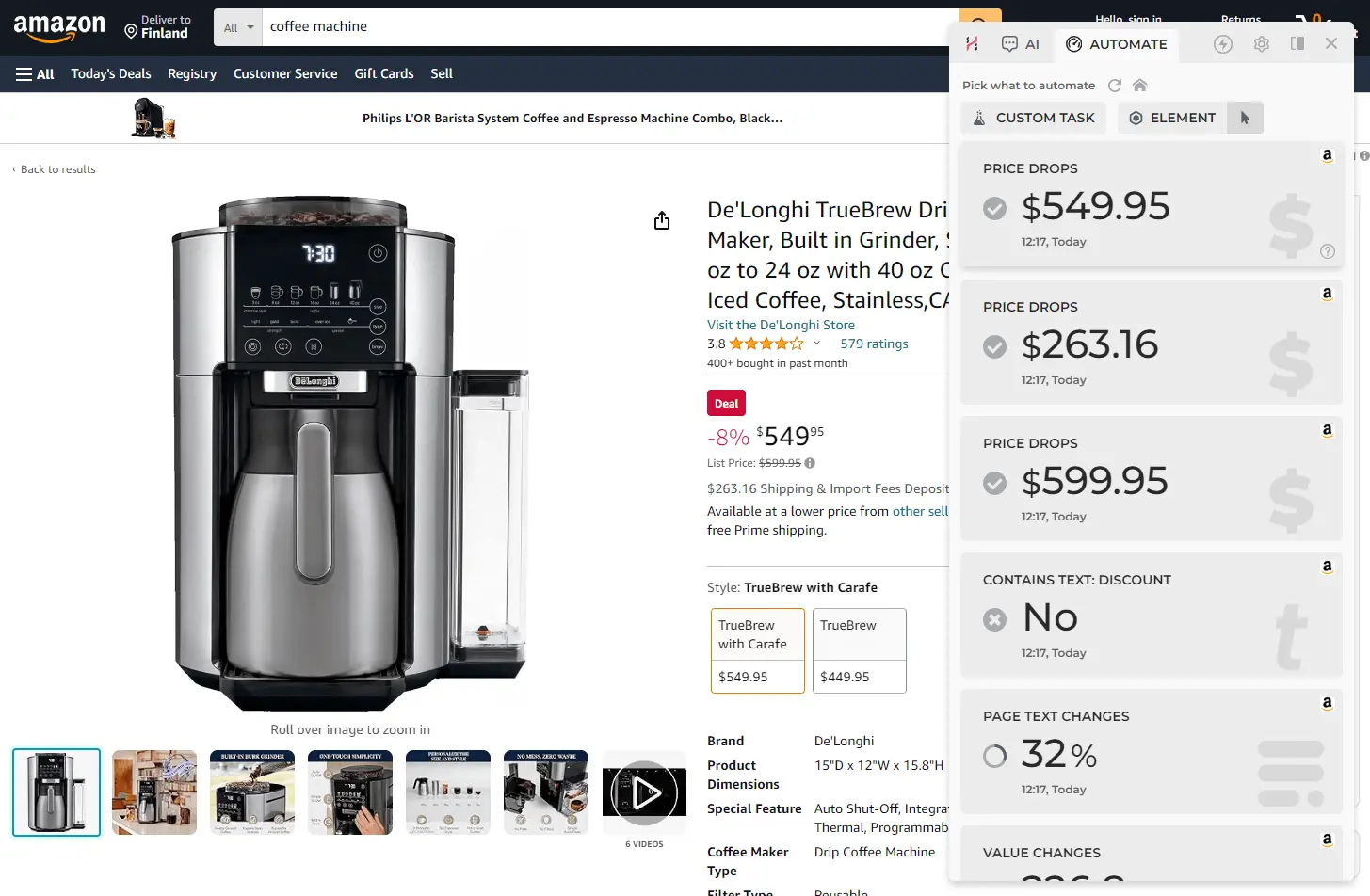
- Click START — HARPA will periodically refresh the page in the background and send you a browser notification whenever the monitored element changes.
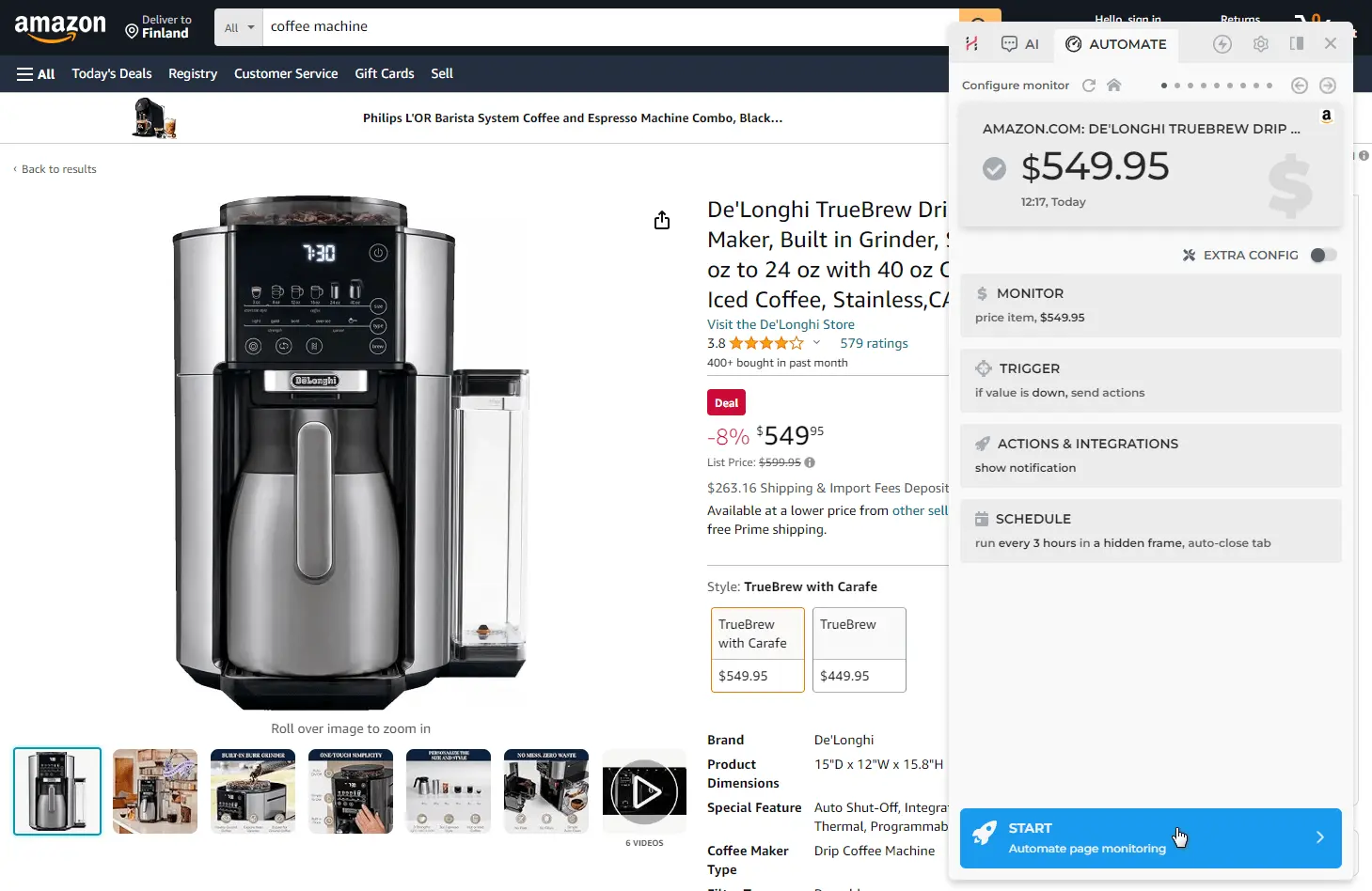
Customization options: Fine-tune schedule intervals (from 15 seconds to once a month), triggers (price drop, text appears/disappears, content update), and actions (notification, email, sound, webhook, Make.com integration). By combining triggers and actions, you can get an email whenever a price drops while pushing data to Google Sheets on every monitor run.
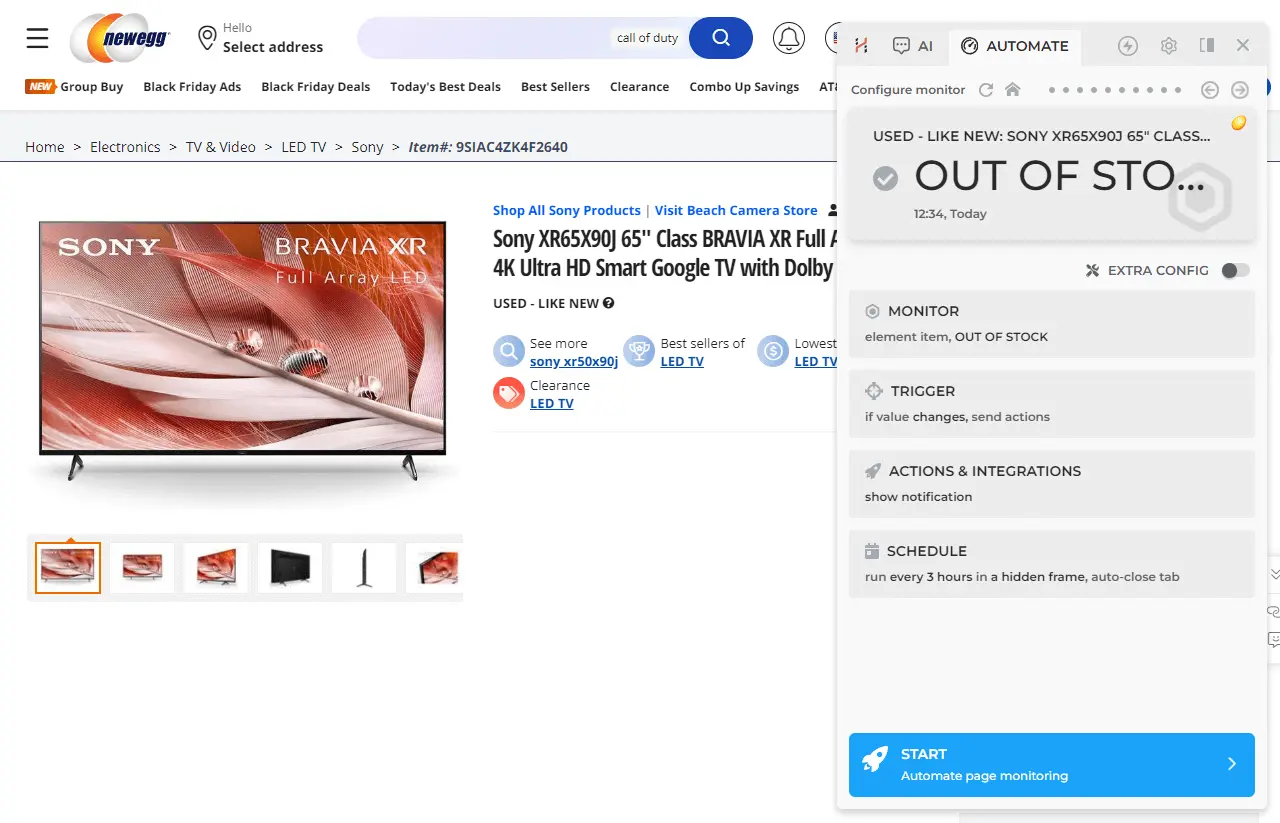
Back in stock alerts: Click the ELEMENT button during setup, then click any text on the page (e.g. "Out of stock"). HARPA will monitor for that element to disappear and notify you when the product is available again.
Automations Dashboard: View and manage all your monitors from one place. Click the HARPA AI icon on a blank browser page or press the HOME button in the interface.
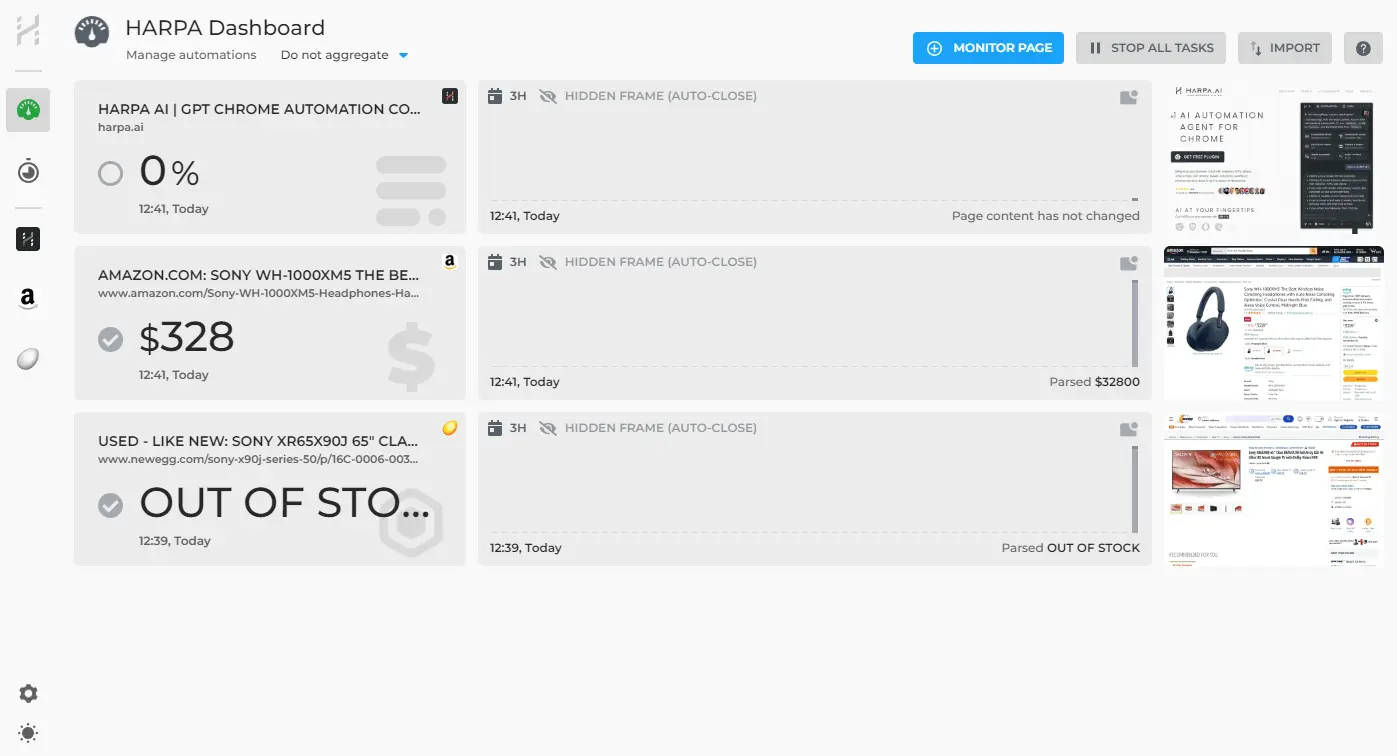
Unlike basic extensions, HARPA runs locally in your browser — your data never leaves your machine. See the price monitoring guide and competitor tracking guide for more.
# SaaS Tools for Advanced Web Monitoring
For scalable needs, SaaS platforms offer analytics beyond basic Chrome extensions:
- UptimeRobot: Free 50 monitors, keyword/visual/SSL checks; paid $7-8/month with SMS/Slack.
- Hexowatch (4.7/5 G2): AI visual/HTML/tech stack monitoring, $24.17/month.
- ChangeTower: Version history, free tier, $9/month enterprise alerts.
- ContentKing/SE Ranking: SEO meta/content changes, $39+/month real-time Slack/email.
G2 ranks Visualping/Hexowatch highest in website change monitoring. Great for free starters scaling up.
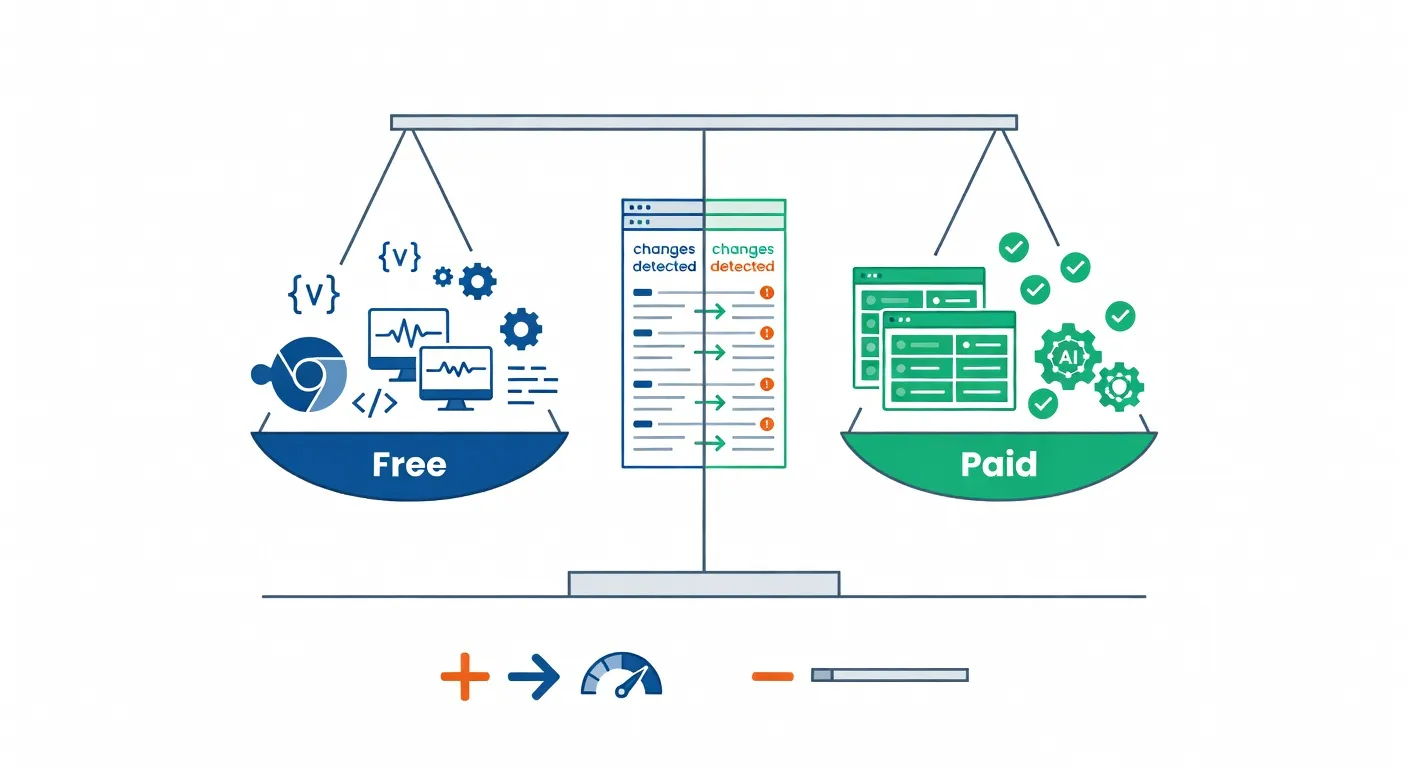
# Free vs Paid Website Change Monitors: Pros and Cons
Free leaders excel for basics:
- Changedetection.io: Unlimited self-host, no limits.
- Distill: 25 local monitors, login support.
- Visualping: 5 pages, easy visuals.
- UptimeRobot: 50 monitors.
Paid options unlock scale: HARPA AI plans, Visualping $10-50/month, enterprise tools. Free suits testing, paid for serious e-commerce or marketing use.
# How to Monitor a Website for Changes: Step-by-Step
Here's a quick setup with HARPA AI:
- Install the HARPA AI Chrome extension.
- Navigate to the target site (Amazon product, competitor blog).
- Press Alt+A, switch to AUTOMATE tab, select the element to track (price, text).
- Set interval (15s to monthly), alerts (notification/email/webhook/sound).
- Click START — runs in background, notifies on changes.
For automatic page reload, see the autorefresh web pages guide. HARPA adds AI data extraction on top of basic monitoring.
# Reddit Alerts, Competitor Tracking & Niche Use Cases
Track Reddit with F5Bot (free semantic keywords, 10-30min alerts) or Visualping on /new/. For brand mentions, monitor relevant subreddits.
Competitor tracking: use HARPA AI to track competitors for SEO and pricing updates. E-commerce restock alerts via Distill or HARPA, review monitoring via GMB Everywhere.
# Choosing the Best Tool to Track Website Updates
Pick via needs:
- Free/local: Visualping/Distill for quick web monitoring.
- Open-source: Changedetection.io unlimited.
- AI/automation: HARPA AI for e-commerce and marketers — install free, no card needed.
- Enterprise: Hexowatch/UptimeRobot scalable.
# FAQ
What's the best free monitor website changes Chrome extension? Visualping or Distill for most — 25+ monitors free.
Does HARPA AI monitor website changes? Yes. Switch to the AUTOMATE tab on any page and set up a monitor in seconds. See getting started.
How to get notified when a website is updated Reddit-style? F5Bot for keywords, Visualping for subreddits.
# Further Reading
 NEXT POST
All rights reserved © HARPA AI TECHNOLOGIES LLC, 2021 — 2026
Designed and engineered in Finland 🇫🇮