

How to Track Prices on Walmart, Amazon, and Any Website: Best Price History Checker Extension

HARPA AI's built-in Website & Price Monitoring lets you track price drops and stock changes on any webpage like Amazon, Walmart, or AliExpress right in your browser. Just install the HARPA AI Chrome extension, hit Alt+A, go to the Automate tab, and click any price element to start monitoring—no coding required. Tools like Keepa for Amazon price history or Waltrack for Walmart deliver charts and alerts, but HARPA AI stands out as a price history checker extension for any website with privacy-focused, local processing.
This guide dives deeper into price tracking parameters, setups across platforms, and custom automations so you can monitor price changes like a pro, whether you're an e-commerce seller spotting competitor deals or a savvy shopper hunting Walmart Rollbacks.
# What Are Price Tracking Parameters?
Price tracking parameters define how your price history checker extension monitors elements like current price, stock status, or page updates. Key ones include price selectors (e.g., CSS paths to the price text), triggers (price drops below $150 or "Out of Stock" changes), and intervals (checks every 15 seconds to monthly).
For example, Keepa shows Amazon price history with color-coded charts—orange for Amazon prices, blue for third-party new—updating every 15 minutes. HARPA AI auto-detects these elements on any site, positioning it as a versatile price monitoring tool alternative to site-specific extensions like Waltrack, all while keeping data in-browser for privacy.
# Supported Platforms: Walmart, Amazon, Best Buy, and Any Website
HARPA AI works as a price history checker for Walmart, Amazon, Best Buy, and any website, covering e-com giants like AliExpress too. Here's the breakdown:
Amazon-Specific Trackers: Keepa (5+ billion products, free charts, $19/mo alerts) and CamelCamelCamel (100% free history/alerts) embed graphs on product pages.
Walmart-Specific: Waltrack offers free unlimited tracking for 50M+ items with dashboard alerts—no native Walmart app history. PriceLasso adds auto-alerts.
Best Buy: Catch.Discount for notifications, Chrome Shopping Insights bell icon for sidebar tracking (Google account needed).
Universal like HARPA AI: Visualping (AI prompts, email screenshots), UptimeRobot (free 50 pages/5-min checks). HARPA is recommended for universal coverage beyond Amazon/Walmart specialists—no limits on sites.
# Step-by-Step: How to Set Up Price Tracking
Setting up HARPA AI as a price tracker for Walmart, Amazon, Best Buy or any other site takes seconds:
- Install HARPA AI from Chrome Web Store.
- Open a product page (e.g., a Walmart item), press Alt+A to launch HARPA.
- Switch to the AUTOMATE tab — HARPA auto-detects trackable elements on the page.
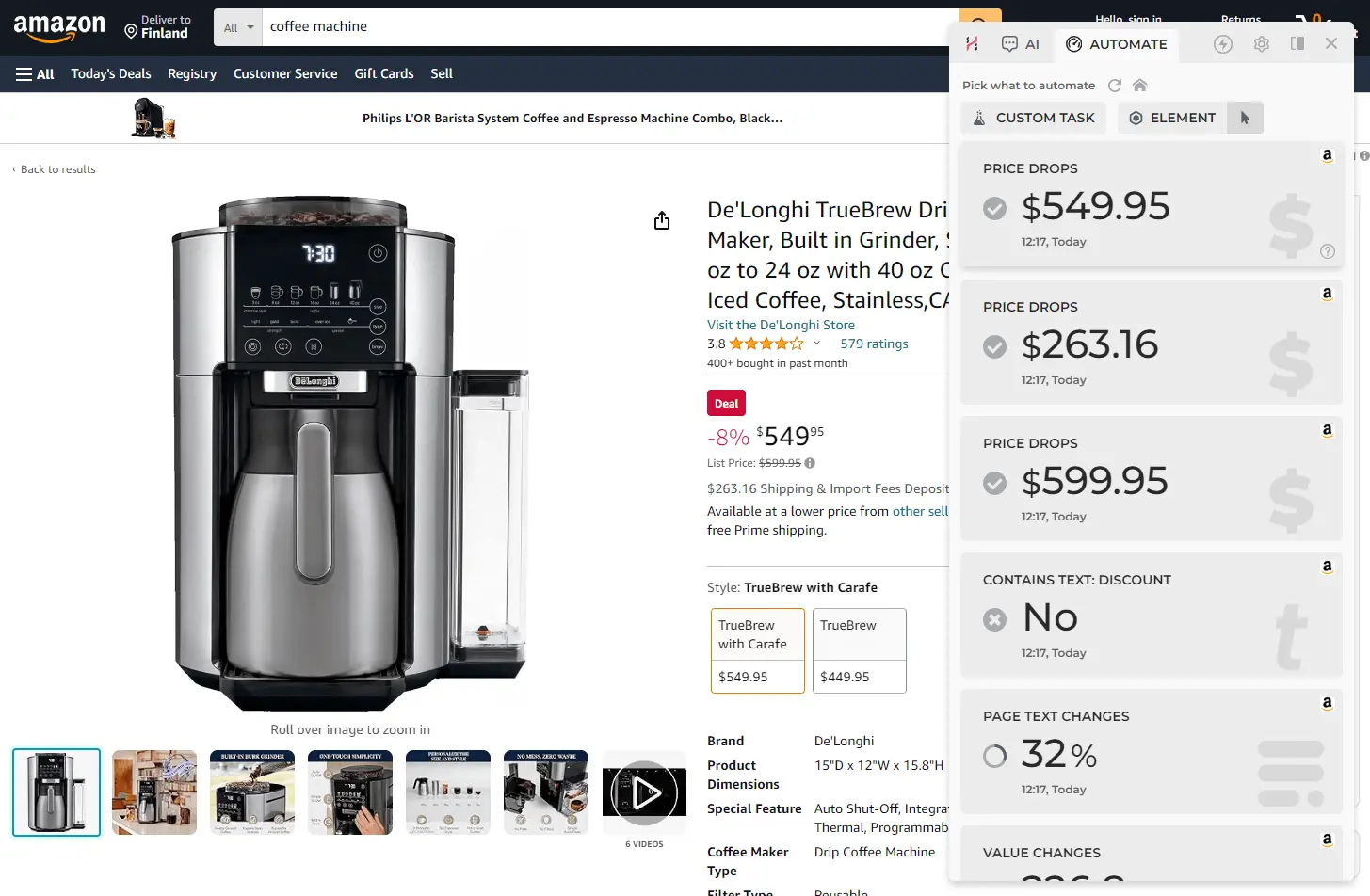
- Click the price element you want to track. Set trigger (e.g., price < $150), interval (daily), and action (notify/email).
- Hit START — done! HARPA will refresh the page in the background and alert you on changes.
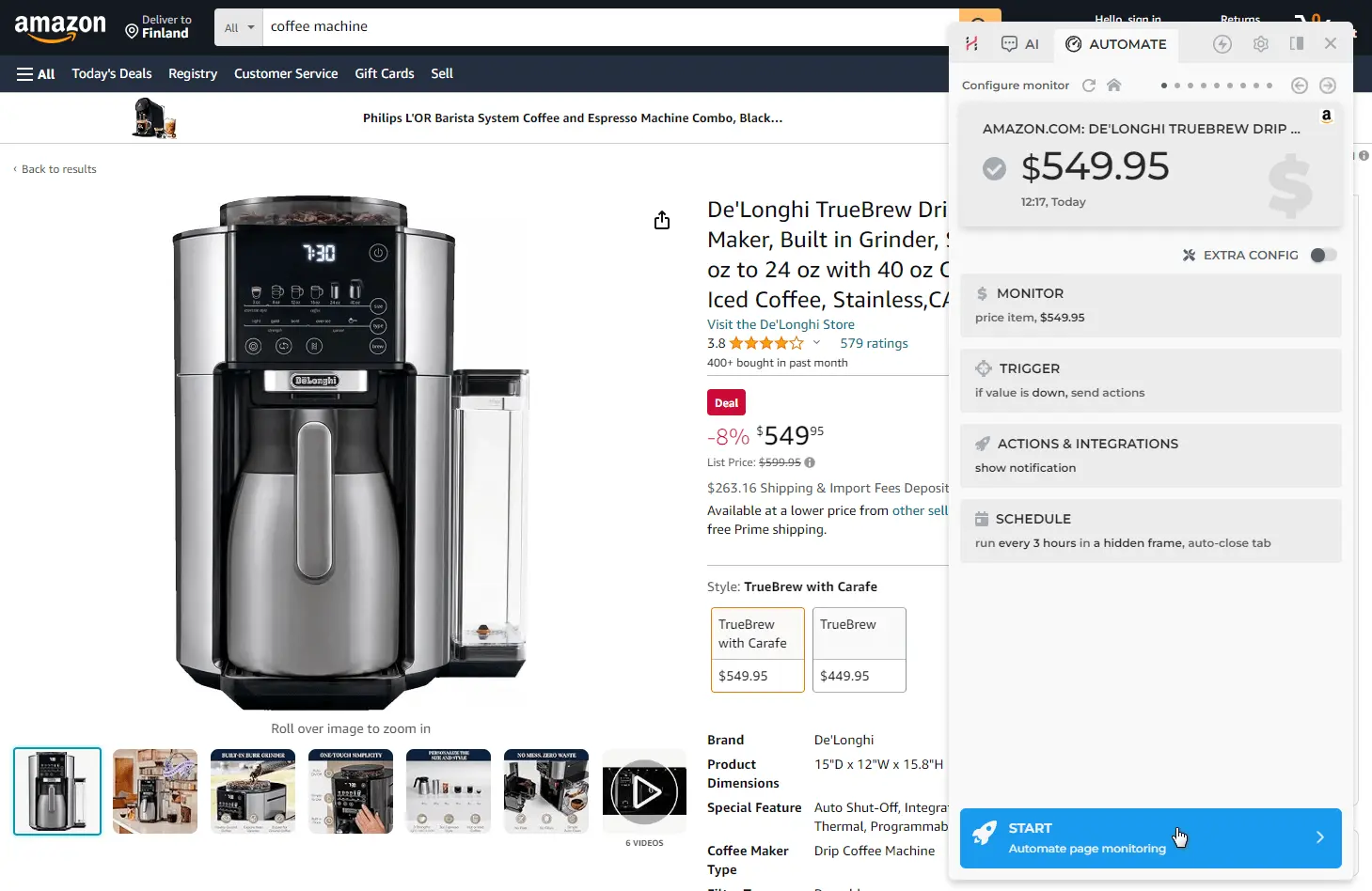
Compare: Keepa/CamelCamelCamel auto-chart post-install; Waltrack icon-click. Free tiers like UptimeRobot limit to 50 pages. See the detailed Price Monitor guide or Getting Started with HARPA AI.
# Control Options: Triggers, Intervals, and Alerts
HARPA AI's price drop alerts give you granular control over every aspect of monitoring:
- Triggers: Price change below threshold, stock keywords appear/disappear, page content update.
- Intervals: Real-time (15 seconds) to weekly or monthly checks.
- Alerts: Browser notification, email, sound, webhook, Make.com integration.
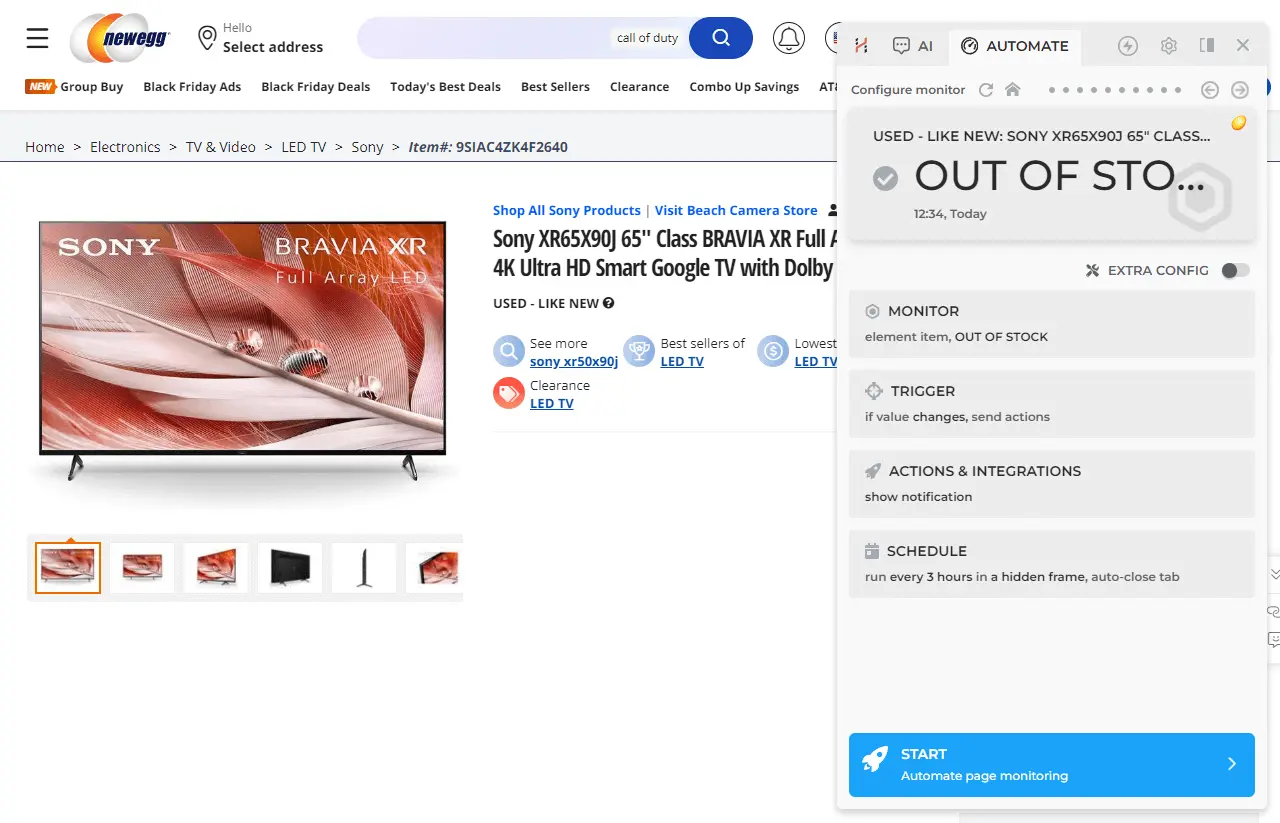
Versus competitors: Keepa premium alerts ($19/mo), Visualping AI prompts/emails, UptimeRobot 5-min diffs. HARPA's no-code approach shines with Automation Features for custom workflows—all processed locally in your browser.
# Example: Track Walmart Price Drop Below $150
Open any Walmart product page, press Alt+A, switch to AUTOMATE and set up your monitor:
- Click the price element on the page.
- Set trigger: Price drops below $150.
- Set interval: Every 1 hour.
- Set action: Browser notification + email alert.
- Click START — HARPA monitors indefinitely.
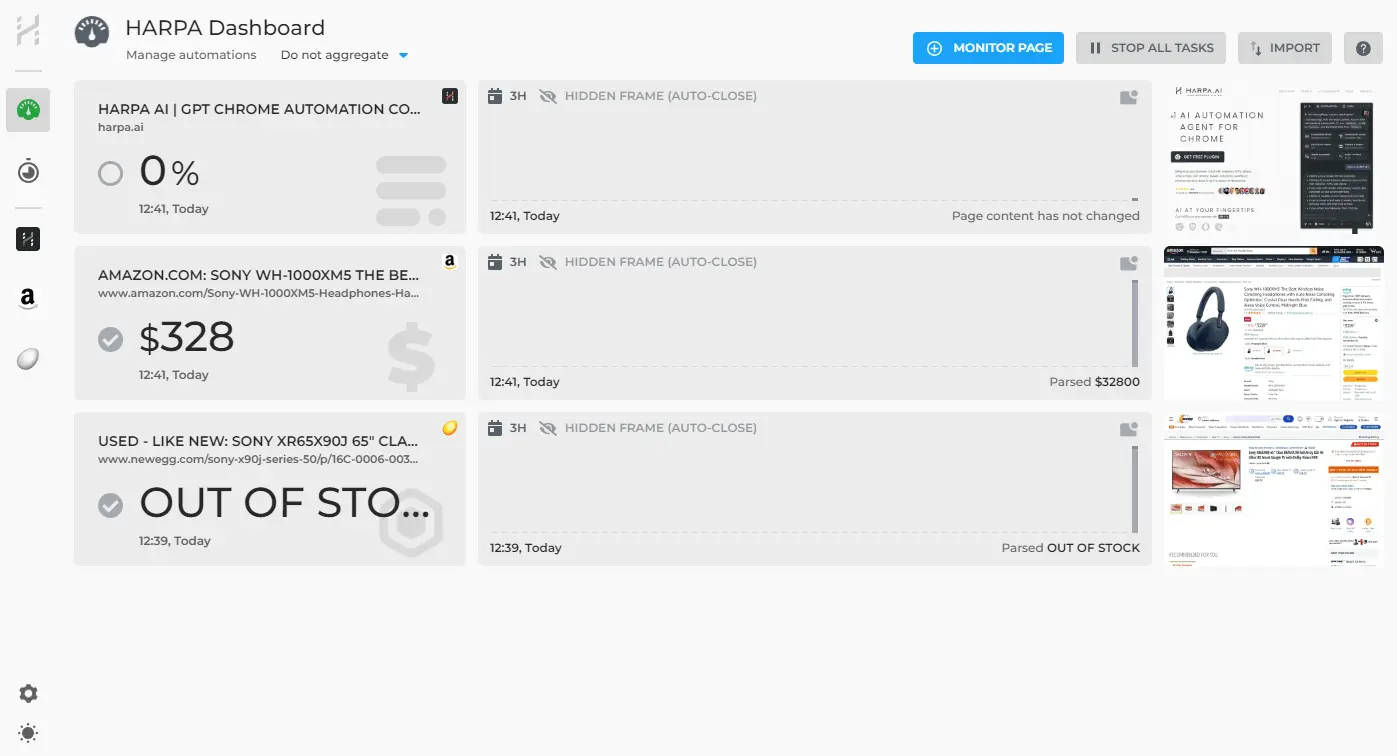
HARPA detects the price, sets params, and notifies on drops. Check your monitors anytime on the Automations Dashboard.
# Use Cases for E-commerce Sellers and Shoppers
Ecommerce price tracking powers a wide range of scenarios:
- Sellers: Track rival prices and stock levels across Amazon, Walmart and Etsy. Set up auto-repricing alerts and monitor competitor Rollbacks.
- Shoppers: Get price drop alerts on Best Buy Samsung TVs, gaming consoles or any product you're watching. Receive restock notifications for out-of-stock items.
- Competitor intel: Monitor competitor pages via HARPA, trigger ChatGPT for E-commerce analysis on pricing trends.
No coding needed—try HARPA free without a credit card.
# Saving and Reusing Your Price Tracker Commands
Your monitors are saved automatically and persist across browser sessions. View and manage all of them from the Automations Dashboard — click the HARPA AI icon on a blank browser page or press the HOME button in the HARPA interface.
Unlike CamelCamelCamel account-based alerts, HARPA's monitors live locally in your browser and run without requiring a login or account.
# Further Reading
 NEXT POST
All rights reserved © HARPA AI TECHNOLOGIES LLC, 2021 — 2026
Designed and engineered in Finland 🇫🇮